

The Quick Take
Otter.ai and Fireflies.ai both record your meetings, transcribe them, and pull out summaries and action items, then head in different directions.
Otter is the simpler tool: cleaner interface, quicker onboarding, a genuinely useful free tier. It fits individuals and small teams who want reliable transcripts without any setup ceremony.
Fireflies is the deeper tool: 100+ languages, a hundred-plus integrations, workflow automation, CRM sync, and stronger privacy guarantees. It fits teams that want meetings wired into their actual business processes.
For most individuals, Otter is the better experience; for growing teams, Fireflies tends to pay off more over time.
Otter.ai vs Fireflies.ai: how do they compare head to head?
| Feature | Otter.ai | Fireflies.ai |
|---|---|---|
| Transcription accuracy | ~85–90% in clear English | ~90–95%, better with accents/noise |
| Languages | 6 (English-first) | 100+ with auto-detection |
| AI summaries | Fast but shallow | Rich, structured, customizable |
| Integrations | Zoom, Meet, Teams, Dropbox | 100+ (CRM, Slack, Asana, Zapier) |
| CRM sync | Limited | Excellent (HubSpot, Salesforce) |
| Workflow automation | Basic | Advanced (AI Skills) |
| Collaboration | Comments, highlights, tagging | Task assignment, @mentions, channels |
| Ask-AI chat | Limited | AskFred (search meetings, email, Slack, CRM) |
| Sentiment analysis | No | Yes |
| Video recording | Enterprise only | Business and up |
| Free plan | 300 min/month | Storage-capped (~400 min shared/team, limited AI) |
| Starting price | ~$8.33/user/mo annual ($16.99 monthly) | ~$10/seat/mo annual ($18 monthly) |
| Data privacy | Trains on data by default | Never trains on your data |
Prices verified: October 2026.
Which transcribes more accurately, Otter or Fireflies?
Both are good; Fireflies has a slight edge.
Otter lands around 85–90% in clear English meetings but copes less well with heavy accents, crosstalk, and noisy rooms. Fireflies sits around 90–95%, handles accents and interruptions a bit better, and lets you train custom vocabulary (company names, jargon, product terms), which matters on specialized teams.
In our testing, Fireflies produced more reliable transcripts on messy real-world calls. Otter was perfectly fine for clean, structured meetings.
Winner: Fireflies, by a small margin.
Which is easier to use, Otter or Fireflies?
Otter wins this one and it isn’t close. Simple, clean dashboard. Fast onboarding. Barely any setup. Live editing and speaker identification just work. If you want to invite the bot and then forget it exists, Otter is the lower-friction choice.
Fireflies leans into automation: smart filters, auto-join, deep settings. It’s powerful, but not effortless.
Winner: Otter, comfortably.
Which has better summaries and action items?
Both generate summaries and pull out action items. Fireflies goes deeper.
Otter’s summaries are quick but tend to stay surface-level and generic. They answer “what did we discuss” fine; nuance is where they thin out.
Fireflies produces richer, structured summaries with custom formats covering action items, questions, decisions, intent, and sentiment. You can set your own summary templates per meeting type (sales call vs. standup vs. interview). For anyone who actually works from meeting notes afterward, that gap counts.
Winner: Fireflies, comfortably.
Which supports more languages?
Otter supports six languages (English, Spanish, French, German, Japanese, and Simplified Chinese, per its own help center) and is English-first in practice. Fireflies supports 100+ with automatic detection.
If your team or clients work across multiple languages, this one isn’t close.
Winner: Fireflies, by a wide margin.
Which has better integrations and automation?
Otter covers the big three (Zoom, Google Meet, Teams) plus Dropbox. That’s plenty for most individuals.
Fireflies connects to 100+ tools: CRMs like HubSpot and Salesforce (action items logged to deals automatically), Slack, Notion, Asana, Trello, Zapier, even voice platforms. Its AI Skills handle post-meeting automation: summaries pushed to channels, tasks created, records updated, without you touching anything.
When your meetings feed a sales or recruiting pipeline, Fireflies stops being a note-taker and starts being part of the machinery.
Winner: Fireflies, clearly.
Which is more private, Otter or Fireflies?
This one deserves attention: Otter trains its proprietary AI on de-identified user recordings and transcripts by default, per its own privacy policy. That has attracted real scrutiny. A federal class-action suit filed in August 2025 challenged whether the consent and de-identification hold up; it was still working through the courts as of 2026. Fireflies takes the opposite stance: your meeting data is never used to train models, on any plan.
For regulated industries or sensitive discussions, that difference matters. Check both companies’ current policies before committing. Those are the documented positions as of 2026.
Winner: Fireflies on privacy guarantees.
How do Otter and Fireflies’ pricing compare?
Prices below are per user/seat, with annual billing first:
| Otter.ai | Fireflies.ai | |
|---|---|---|
| Free | 300 min/month, 30 min per conversation | Unlimited transcription, ~400 min shared storage per team, limited AI credits |
| Pro | ~$8.33/mo annual ($16.99 monthly), 1,200 min/mo | ~$10/mo annual ($18 monthly), 8,000 min storage per seat |
| Business | ~$19.99/mo annual ($30 monthly) | ~$19/mo annual ($29 monthly), unlimited storage |
Prices verified: October 2026.
Otter’s free plan is genuinely useful for light users: 300 minutes a month covers a lot of meetings, though the 30-minute-per-conversation cap will cut off longer calls. Fireflies’ free tier is unlimited on transcription but tight on storage (roughly 400 minutes shared across a whole team, per recent trackers), so treat it as a trial rather than an ongoing plan. Budget for one more thing: Fireflies meters AI summaries, action items, and AskFred through one-time credit pools (20 on Free/Pro, 30 on Business, 50 on Enterprise), so the seat price isn’t the whole cost. Paid pricing is close enough that it shouldn’t decide for you.
Winner: Tie. Otter’s free minutes suit light users; Fireflies gives power users more room to grow, at the cost of a less transparent pricing model.
Who Should Pick Which?
Pick Otter.ai if you:
– Want the simplest possible meeting assistant
– Are an individual or small team with straightforward needs
– Mostly meet in English
– Value ease of use over depth
– Want a genuinely useful free tier for light usage
Pick Fireflies.ai if you:
– Run a team where meetings feed workflows (sales, recruiting, ops)
– Need CRM integrations that actually work
– Operate in multiple languages
– Want automation: AI Skills, AskFred, task routing
– Care about hard privacy guarantees
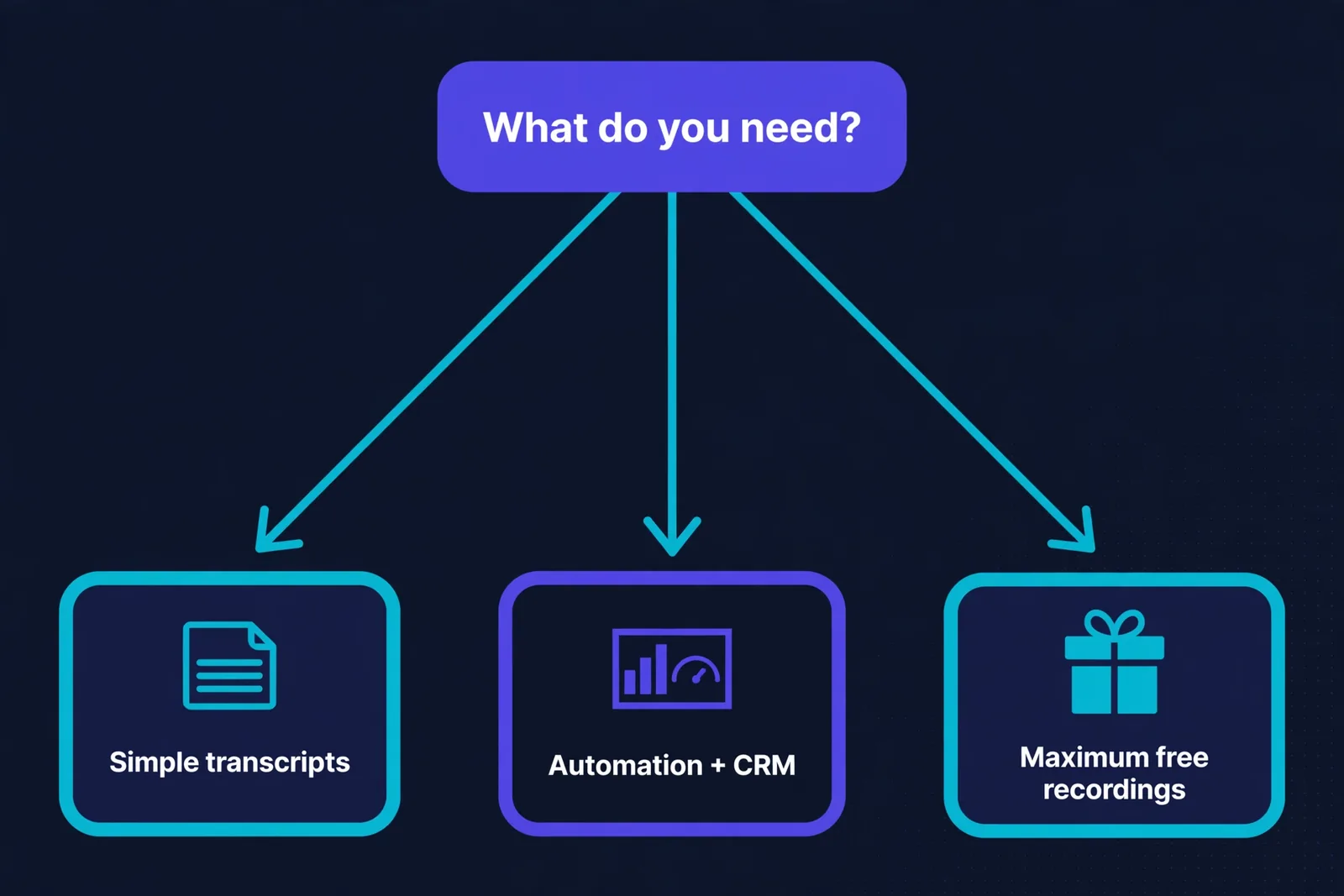
Look at Fathom too if: you want unlimited free recordings and transcription. It’s the dark horse that beats both on free-tier generosity, with fewer advanced features on top.
Accuracy in the Real World
Marketing pages love quoting accuracy percentages, and real meetings are messier than lab tests. Here’s what we found running both tools across dozens of calls.
On clear audio with speakers taking turns, both were excellent. Transcripts came back clean enough to share with minimal editing. That covers maybe 60% of real meetings.
The other 40% is where the differences show. With overlapping speech, both struggled, but Fireflies kept speaker labels more consistent when people talked over each other. With strong accents, Otter had a small edge, though neither was perfect. Technical jargon was a wash: both butchered niche terms until we added custom vocabulary, which both tools support on paid plans.
Background noise is the great equalizer. A participant calling from a car or a busy cafe degraded both transcripts significantly. No AI transcription handles a barking dog gracefully.
Our practical advice: if your meetings are mostly structured, pick on features and price, not accuracy. The difference is negligible. If your calls are chaotic and interrupt-heavy, run both free tiers on the same meeting and compare. It takes 30 minutes and tells you more than any review, including this one. Your meetings, your audio, your accents: that’s the only test that matters.
The Honest Verdict
No universal winner, but the decision rule is simple.
Individuals and simplicity seekers: Otter. It does the core job well with the least friction. You’ll be set up in minutes and wondering why you ever took manual notes.
Teams and automation seekers: Fireflies. More languages, deeper summaries, real integrations and automation, stronger privacy. It costs about the same and does more once plugged into your stack.
One thing we’d push back on: don’t choose based on transcription accuracy alone. Both are good enough now. Choose based on what happens after the transcript: where the notes go, who acts on them, and how much of that happens without you.
Affiliate disclosure: This comparison may contain affiliate links. If you purchase through them, we may earn a commission at no extra cost to you.
FAQ
Is Fireflies better than Otter?
For teams, automation, languages, and integrations: yes. For simplicity and ease of use, Otter wins. It depends on your needs, not the tools’ quality.
Which has a better free plan?
Otter gives 300 minutes/month (30-minute cap per conversation), good for light users. Fireflies’ free tier transcribes without a minute limit but caps storage at ~400 minutes shared per team with limited AI, so it’s more of a trial. Fathom offers unlimited free recordings.
Does Otter or Fireflies support my language?
Fireflies supports 100+ languages with auto-detection. Otter supports six (English, Spanish, French, German, Japanese, Simplified Chinese), with an English-first focus. Multilingual teams should pick Fireflies.
Can these tools join meetings automatically?
Yes, both offer auto-join for scheduled meetings on Zoom, Google Meet, and Teams.
Do they work for in-person meetings?
Both offer mobile recording options, though they’re optimized for video calls. Check current mobile features for your use case.
Is my meeting data used to train AI?
Fireflies guarantees your data is never used for training. Otter trains its AI on de-identified data by default, and that policy has faced a class-action lawsuit over consent, so it’s worth reading up on. Verify current policies on both sites before committing, especially for sensitive work.
Keep reading:
– How to Summarize PDFs with AI: The Complete Guide
– 10 Best Free AI Tools for Students in 2026
– AI Email Writing Guide: Write Better Emails in Half the Time