

Quick answer: Nano Banana via Gemini’s free tier is the best $0 headshot option in 2026 — genuinely LinkedIn-ready results, as long as you can write a decent prompt. For a standard LinkedIn refresh, free is honestly fine; only pay $29–50 for a dedicated tool when the headshot is for high-stakes business contexts. Either way, mind the privacy fine print before uploading your face anywhere.
A professional headshot used to mean booking a photographer, hunting for good light, and paying $200 to $500. AI generators changed the math. But the free tier landscape is a minefield: watermarks, over-smoothed plastic skin, and tools that scream “free*” right up until the final step, when the paywall appears.
We tested the free options that actually matter in 2026, judged by exactly one standard: would you put this on your LinkedIn? Here are the seven worth your time, what each free tier really gives you, and the honest point where paying starts to make sense.
The 7 tools at a glance:
| Tool | Free allowance | The catch |
|---|---|---|
| Nano Banana (via Gemini) | Free tier, LinkedIn-ready output | Needs prompting skill to dial in |
| PixelPanda | ~3 headshots/day, no prompting | A notch below Nano Banana’s best |
| MyEdit | 3 credits/day (6 per headshot, so ~2 days each) | Patience required |
| Supawork | Usable free headshot, minimal fuss | Inconsistent, watch for over-smoothed skin |
| AIEase | Quick and simple | Slightly artificial at full resolution |
| Remaker AI | Good with good inputs | Needs a well-lit, front-facing selfie |
| Fotor | Limited free path, multiple styles | A fitting room, not the place you buy |
How We Judged “Free”
A genuinely free headshot tool has to let you download a usable, watermark-free image without entering a credit card. Tools that only showed watermarked previews scored lower no matter how good the underlying quality was, because a watermarked headshot is useless on LinkedIn.
The 7 Best Free Options
1. Nano Banana (via Google Gemini): Best Overall Free
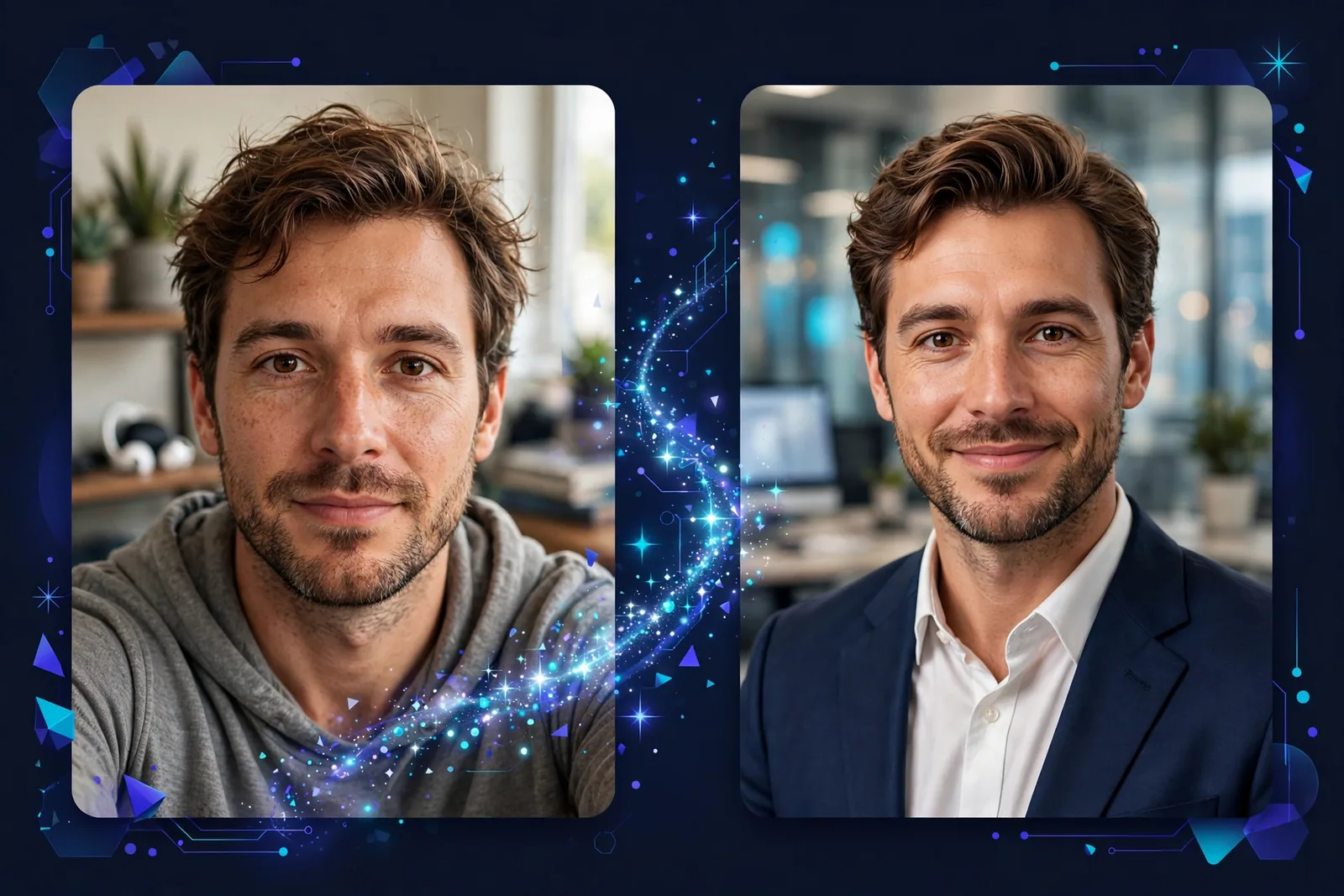
The surprise winner of 2026, and the gap isn’t small. Google’s Gemini image model, nicknamed “Nano Banana,” transforms an uploaded selfie into a professional headshot while preserving your facial identity, and it runs on Gemini’s free tier.
Why does it win? At LinkedIn’s display size, the quality gap between this and the paid tools is the smallest we found. Feed it a good prompt (something like “professional corporate headshot, neutral gray background, soft studio lighting, business attire”) and the results are genuinely LinkedIn-ready. We went in skeptical and came out convinced.
The catch is prompting skill. Vague prompts produce vague results, so expect one or two tries to dial it in. And you are trusting Google with your face photo, which is fine for most people but worth a thought (more in the privacy section below).
2. PixelPanda: Best No-Prompting Option
If Nano Banana’s prompting feels like homework, PixelPanda is the simpler path: upload a selfie, get headshots. No prompt engineering, no fiddling. You get around 3 free headshots per day.
The quality sits a notch below Nano Banana’s best outputs, but it is consistently decent, and honestly, most people will never touch a prompt field. For the “I want results in two minutes” crowd, this is your tool.
3. MyEdit (by CyberLink): Best Daily Credits
MyEdit hands you 3 daily credits on its free tier, and CyberLink’s imaging pedigree shows in the output. Skin texture looks more natural than most free competitors, which matters more than you’d think at full resolution. One practical detail, confirmed on CyberLink’s own blog: a headshot generation costs 6 credits, so each free headshot takes about two days of credits to earn, and downloads carry no watermark either way.
The play here is patience. Generate across several days, collect your batch, and pick the best of the bunch. If you’re willing to treat it like a multi-day project, the results stack up well.
4. Supawork: Decent One-Shot Free
Supawork gives you a usable free headshot with minimal fuss. The catch is inconsistency between generations. Some come out great, some come out with that uncanny over-smoothing. Our advice: generate a few, keep the best, delete the rest. The main artifact to watch for is over-smoothed skin, which reads as “AI” instantly.
5. AIEase: Quick and Simple
AIEase’s free headshot tool is about as straightforward as it gets: upload, generate, download. Results skew slightly artificial at full resolution, but here is the thing: at LinkedIn’s 400×400 display size, where 99% of views happen, they hold up fine. Context matters more than pixel-perfection.
6. Remaker AI: Good With Good Inputs
Remaker is a “garbage in, garbage out” tool in the best sense. Feed it a well-lit, front-facing selfie and you’ll get markedly better results than you’d get from a dim indoor shot. Worth trying if you already have a strong input photo sitting on your phone. If your only selfies were taken under bar lighting at midnight, skip this one.
7. Fotor: Best for Style Variety
Fotor’s AI headshot tool packs multiple styles (business, corporate, creative) into one place. The fully free path is limited, but it is genuinely useful for testing which style suits you before committing to any tool or payment. Treat it as a fitting room rather than the place you buy the suit.
The Honest Truth: Where Free Falls Short
Let’s be straight about the limitations, because most “best free” roundups gloss right over them.
Free tools generate one image at a time. Paid tools deliver 40 to 100 consistent shots across outfits and backgrounds, so you have options for LinkedIn, your company bio, conference slides, everything. That’s a real difference.
Quality is also inconsistent on free tiers. You’ll discard half of what you generate. Paid tools train on your face, which buys consistency. And then there’s skin texture at full resolution: fine at LinkedIn thumbnail size, but blow a free generation up large and the paid tools look noticeably more natural.
Finally, batch consistency. Need matching headshots for a whole team page? Free tools can’t do that reliably. Each generation is its own little adventure.
So: free is perfectly fine for one LinkedIn photo, casual platforms, testing the concept, or tight budgets. Pay ($15 to $50 is typical) when the headshot represents you in high-stakes business contexts, sales and client-facing work, team pages, or print use.
Privacy: Read This Before Uploading Your Face
This section is missing from most roundups, and frankly it matters more than the tool rankings. Your face is biometric data. Treat it that way.
First, check data retention. Some tools delete your uploads within hours; others quietly retain images for model training. Paid tools generally publish clearer deletion commitments, which is one underappreciated reason to pay.
Second, skip the filtered source photos. Heavy filters confuse the model and produce uncanny results. Clean, natural selfies work best, which is convenient because they are also the most honest starting point.
And never use AI headshots for government IDs. Passports and official documents require unaltered photographs. AI generations don’t qualify, and trying it can cause real problems.
Tips for the Best Free Results
Getting a good free headshot is less about the tool and more about the inputs. Start with a great selfie: natural daylight, facing a window, plain background, neutral expression with a slight smile. This one step matters more than which of the seven tools you pick.
For Nano Banana specifically, prompt with detail. “Professional headshot, [your industry] attire, soft studio lighting, blurred office background, photorealistic” beats “make me look professional” every time.
Generate 5 to 10 outputs and curate ruthlessly. Free means volume is cheap, so let your eye be the quality filter. And pick the output that looks like you on a good day, not a different person. The biggest LinkedIn risk isn’t AI detection; it’s someone not recognizing you at the interview.
Finally, export as JPG for LinkedIn and job portals. It’s the right format at the right size, and you won’t run into compatibility weirdness.

One last habit worth building: save your two or three best outputs, not just one. You will want options when a conference organizer asks for a speaker bio photo, or when your company Slack needs a slightly different crop. A tiny personal library of your own headshots beats regenerating from scratch every time.
Frequently Asked Questions
Are free AI headshots good enough for LinkedIn?
For most people, yes. At LinkedIn’s display resolution, the best free options (especially Nano Banana via Gemini) are genuinely professional. Be pickier if you’re in a visual industry or an executive role, where people look more closely.
Can employers tell my headshot is AI-generated?
Not reliably by eye in 2026, though AI detection keeps improving. The real risk is looking unlike yourself in person. Choose realistic outputs over flattering ones.
Do AI headshot tools keep my photos?
It varies by tool. Check each privacy policy before uploading, and assume free tools have weaker deletion guarantees than paid ones.
How many selfies do I need to upload?
Most tools ask for 4 to 12 varied selfies: different angles, lighting, expressions. More variety gives the model more to work with, so don’t upload twelve identical mirror selfies.
What’s the best completely free option?
Nano Banana through Gemini’s free tier currently gives the best quality-to-cost ratio. Actual $0, LinkedIn-ready results, as long as you’re willing to write a decent prompt.
Should I just pay for a headshot tool?
If the headshot represents you in high-stakes business contexts, $29 to $50 for a dedicated tool buys consistency and quality worth having. For a standard LinkedIn refresh, free is honestly fine.
Conclusion
The free AI headshot market in 2026 is better than it’s ever been. Nano Banana alone makes the “$0 professional headshot” a real thing. Generate a handful, pick the one that looks like you, and put it up. Just go in with honest expectations about consistency and resolution, and mind the privacy fine print before you upload your face anywhere.
Building the rest of your professional presence with AI? Here’s how to write a resume with ChatGPT.
[…] 7 Best Free AI Headshot Generators for LinkedIn (2026) […]