

The Short Version
The best free AI logo makers in 2026 depend on what “free” actually means to you.
Truly $0 with real downloads: Shopify Logo Maker (formerly Hatchful), Logo.com, Namecheap Logo Maker, VistaPrint AI Logomaker. You design, you download, you pay nothing.
Free to design, pay to download: Looka, Wix Logo Maker, Tailor Brands. The design experience is lovely; the download button is where reality sets in.
Free with a clever workflow: Microsoft Designer (DALL-E 3) plus Vectorizer.ai plus Canva. Three free tools chained together, one surprisingly good logo at the end.
Here’s the catch nobody tells you upfront: most “free” logo makers let you design for free but charge for the actual files, especially vector SVGs. This guide tells you exactly what each tool gives you at $0. No surprises.
The 7 Best Free AI Logo Makers in 2026
1. Hatchful by Shopify: Best $0 Option, Period
Hatchful (Shopify retired the Hatchful name in 2025; the tool now lives on as the Shopify Logo Maker) is the real deal: genuinely free, no watermark, no paywall waiting at the download button. Pick your industry, choose some styles, add your business name, and download PNG files. Done.
What’s the tradeoff? It’s template-based rather than pure AI generation, so originality has limits. You get PNGs only, no vector SVG, and editing is minimal beyond text. Expect to hand over an email address or create a free account to receive the download. But for a side project, an MVP, or a placeholder you need tonight at zero cost, nothing beats it. This is our default recommendation when someone says “I need a logo and I have no money.”
2. Logo.com: Best Free PNG with Commercial Rights
Logo.com generates logo concepts from your business name and lets you download a commercial-use PNG free. The interface is clean, the variety is decent, and the whole thing takes about ten minutes.
High-res and vector files sit behind the paid Brand Plan subscription, so if you need SVGs, this isn’t your tool. But for launching a test page or a social profile where a PNG is enough, it’s one of the most genuinely free experiences out there.
3. Namecheap Logo Maker: Best Free SVG Path
This is the one to know about. Namecheap’s Logo Maker is among the very few tools where the realistic $0 path includes vector SVG downloads, the scalable format professionals need for print, signage, and merch.
Designs are template-driven, so there’s less “AI magic” and more guided customization. Two things to know: you’ll need a free Namecheap account to download, and the icons come from The Noun Project, where some icons require attribution or a small fee to use commercially. Check the license on your chosen icon before you print a thousand business cards. But if your need is “I need a vector tonight and I will not pay,” start here.
4. Canva AI Logo Maker: Best If You’re Already in Canva
Canva’s logo tools combine templates with AI generation, and here’s the real advantage: you get the full Canva editor afterward. Of every free tool we tried, Canva gives you the best post-generation editing experience, and it’s not close.
The free tier covers PNG exports, and commercial use is allowed on most outputs (check the license per element, since stock assets vary). The catches: no free SVG (that’s Pro territory, around $15–18/month), and free designs can look template-y if you don’t put in customization effort. Already living in Canva? Design, iterate, and export in one place.
5. Microsoft Designer: Best Free AI-Generated Concepts
Microsoft Designer runs on DALL-E 3, which means genuinely original logo concepts from a text prompt, free. The trick is knowing it’s a general image generator, not a logo specialist. You get the concept; you finish the job.
The pro move: pair it with Vectorizer.ai (free) to convert your raster image to scalable SVG, then add typography in Canva’s free tier. Three steps, about an hour, zero dollars. It’s more work than the template tools, but the result doesn’t look like everyone else’s template.
6. Looka: Best Free Design Experience (Pay for Files)
Looka deserves an honest description. It has the best logo design experience we tried: genuinely impressive AI-generated concepts, brand kit previews, mockups that make your idea feel real. The catch is simple: you don’t own anything until you pay. Downloads are one-time purchases starting at $20 for the Basic package (low-resolution PNG only, no vector) and $65 for Premium, which unlocks the vector files a real business needs. The full Brand Kit with business cards and social templates is a separate $96/year subscription.
Think of Looka as the best “try before you buy” in the industry. Explore serious brand directions for free, then decide whether paying for the files is worth it. When you do pay, the value is solid.
7. Adobe Express: Best for Adobe Users
If you already have an Adobe account, Express’s logo tools are solid, and the download menu has historically included SVG on the free tier (verify the current terms; these things shift). The experience is best if you’re already inside the Adobe ecosystem. Outside of it, you’d be signing up for a whole world just to make a logo, which is overkill.
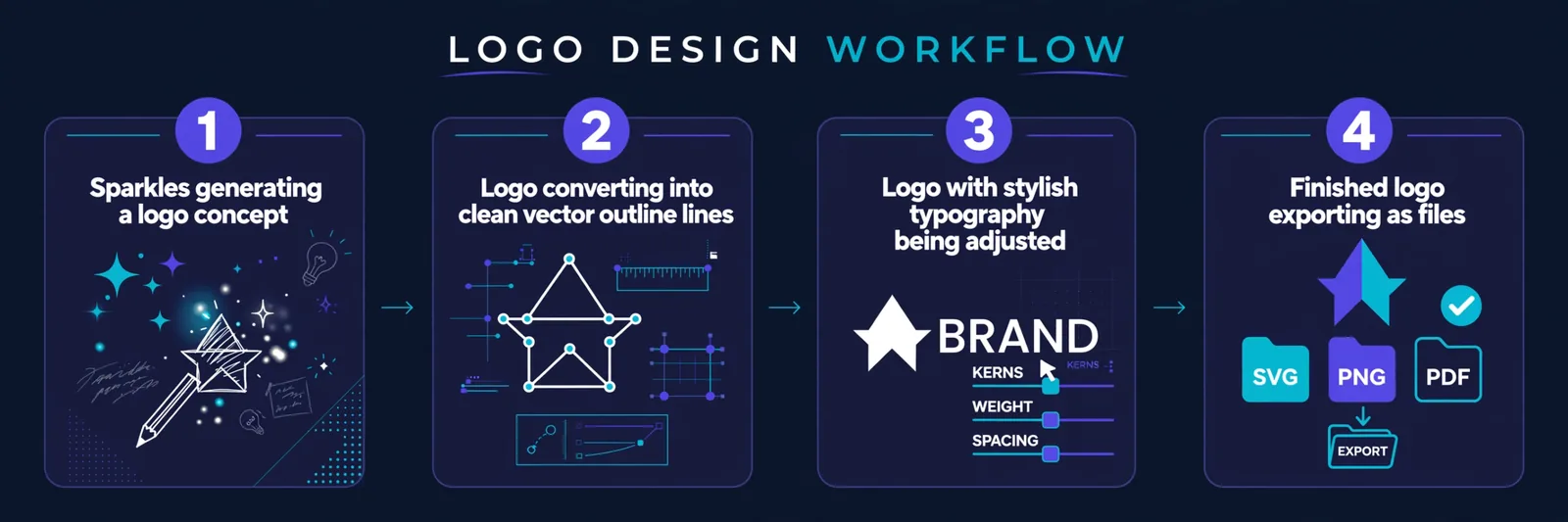
The Free Workflow That Beats Most Paid Tools
Here’s the pro move for a genuinely original logo at $0. It takes about an hour and looks better than most template outputs.
First, generate the concept in Microsoft Designer or Ideogram. Both are free, and Ideogram has a real advantage: it spells text correctly, which matters enormously for logos. Second, vectorize it with Vectorizer.ai (also free) to convert your raster image into scalable SVG. Third, add typography in Canva’s free tier, where you get professional fonts, spacing, and lockups. Finally, export your finished PNG and SVG.
Total cost: $0. Total time: about an hour. Result: a logo that doesn’t look like everyone else’s.
Quick Comparison Table
| Tool | Truly Free Downloads | SVG Free? | Commercial Use |
|---|---|---|---|
| Hatchful (Shopify) | Yes (PNG) | No | Yes |
| Logo.com | Yes (PNG) | No (Brand Plan) | Yes |
| Namecheap | Yes | Yes | Check icon licenses |
| Canva | Partial (PNG) | No (Pro) | Mostly yes |
| Microsoft Designer | Yes (images) | Via Vectorizer | Check terms |
| Looka | No (previews only) | Paid ($65 Premium) | Paid |
| Adobe Express | Partial | Often yes | Check terms |
Prices verified: October 2026.
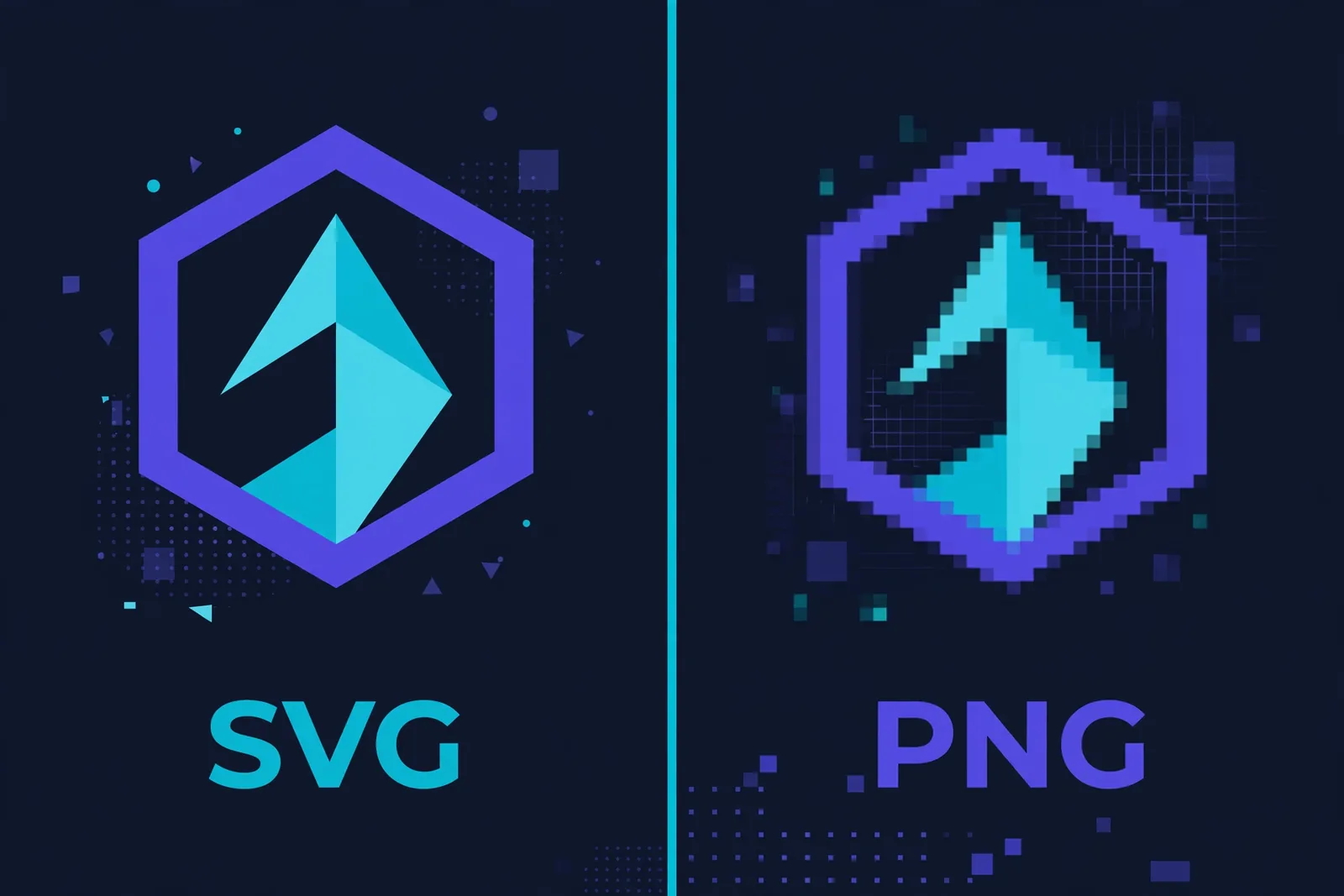
A quick word on why the SVG column matters so much. A PNG logo looks perfect on your website and falls apart the moment someone prints it on a banner. Vector SVG scales infinitely with no quality loss, which is why it’s the format every printer, sign shop, and merch vendor asks for. If your logo will ever leave the screen, chase the SVG.
Should You Ever Pay for a Logo Maker?
Yes, sometimes. Pay when you need vector SVG files you can scale forever (Looka Premium at $65 one-time, or Canva Pro), when you need a commercial license for real client work, or when you want a full brand kit (Looka’s Brand Kit subscription at $96/year gets you cards, social avatars, and guidelines).
Stay free when you’re testing a brand direction, building a personal project or MVP, or making a placeholder while a professional logo is being designed. Our rule of thumb: start free, and only upgrade when the logo actually goes onto products, signage, or a client deliverable.
And for high-stakes brand identity (major consumer brands, trademark-sensitive names), commission a designer or use AI output as the starting brief for human refinement. AI is a fantastic sketchpad; it’s not a trademark attorney.
One legal note worth keeping: commercial permission from a website is not a trademark, and purely AI-generated art is difficult to copyright in some jurisdictions, including the US. If you significantly modify the AI output, combine it with custom typography, and use it in commerce, you can generally trademark the brand identity as a whole. When in doubt, consult a professional.
FAQ
What is the best free AI logo generator in 2026?
For $0 downloads, Hatchful (Shopify Logo Maker) and Logo.com are the most genuinely free. For free vector SVG, Namecheap and VistaPrint’s AI Logomaker (free SVG, PDF, and PNG downloads) are the realistic paths. For the best design experience (pay for files), Looka.
Can I use a free AI logo commercially?
Sometimes. Logo.com, Namecheap, Canva, Adobe, and Hatchful describe commercial use on some free outputs. Always read the terms on the day you export. Template vendors usually grant rights to the purchased composition, not every font and icon inside it. Watch Namecheap’s Noun Project icons in particular.
Do I get an SVG for free?
Rarely. The realistic $0 SVG paths are Namecheap, VistaPrint, and often Adobe Express. Canva SVG requires Pro. Most others sell the vector separately.
Are AI-generated logos good enough for real businesses?
Yes for most small businesses and side projects. For high-stakes brand identity, commission a designer or use AI output as the starting direction for human refinement.
Can I edit the logo after generation?
Canva gives you the full editor after selection, which is the best editing experience here. Most others offer basic color and font editors. Hatchful has minimal editing beyond text.
What’s the cheapest way to get a professional-looking logo?
The $0 workflow: generate a concept in Microsoft Designer or Ideogram, vectorize with Vectorizer.ai, add typography in Canva. About an hour of work, zero cost.
Keep reading:
– Canva Magic Studio vs Adobe Firefly: Honest Comparison
– 7 Best Free AI Headshot Generators in 2026
– How to Create Consistent Characters with AI (2026 Guide)