

Quick answer: Google’s Veo 3.1 is the quality benchmark for cinematic clips with real generated audio. Runway‘s Gen-4.5 is the professional’s choice for shot-by-shot control and editing. Kling 3.0 is the value pick for motion and longer clips. And if your shortlist still includes Sora — update it: OpenAI shut Sora down in 2026.
One thing before the list, because it changes everything below: Sora is gone. OpenAI announced the shutdown in March 2026, closed the Sora apps in April, and pulled the Sora 2 API on September 24, 2026. Any ranking that still lists Sora is working from old information.
Models leapfrog each other constantly, free tiers tighten without announcement, and credits mean something different on every platform. So this comparison focuses on what survives the churn: clip length, native audio, what the free tier really gives you, and what a paid plan buys.
Prices checked against vendor pages and pricing analyses in October 2026 — confirm before subscribing, this category reprices constantly.
The 10, at a Glance
| # | Tool | Best for | Clip length | Native audio | Free tier | Paid from |
|---|---|---|---|---|---|---|
| 1 | Google Veo 3.1 | Cinematic quality + sound | Up to 8s | Yes | ~50 Flow credits/day | Google AI plans ~$4.99/mo |
| 2 | Runway (Gen-4.5) | Pro control + editing | 2–10s | Separate tools | 125 one-time credits | $15/mo ($12 annual) |
| 3 | Kling 3.0 | Motion + value | Up to 15s | Yes | 66 credits/day, watermarked | $10/mo (first month ~$6.99) |
| 4 | Seedance 2.5 | Long multi-shot scenes | Up to 30s | Yes | Trial access only | Usage-based |
| 5 | Pika | Social + creative effects | Up to 30s | Yes | $0 plan, no monthly credits | $10/mo ($8 annual) |
| 6 | Hailuo (MiniMax H3) | References + stereo sound | 4–15s | Yes, stereo | Welcome credits | From ~$9.99/mo |
| 7 | Luma Dream Machine | Restyling existing footage | 5–10s | No | Draft mode testing | $9.99/mo |
| 8 | Adobe Firefly | Adobe workflows, safe output | Up to 8s | Separate tools | Limited daily | $9.99/mo |
| 9 | PixVerse | Budget social video | 1–15s | Yes | 30 credits/day (up to 540p) | $10/mo ($8 annual) |
| 10 | HeyGen | Avatars + talking heads | Up to 30 min | Yes, TTS + lip-sync | 3 videos/mo | $29/mo ($24 annual) |
1. Google Veo 3.1: The Quality Benchmark
Veo 3.1 is the model everything else gets measured against: cinematic realism, convincing physics, and — the real separator — synchronized audio generated with the video. Dialogue, ambience, and effects come out of the same generation, inside the Gemini app and Google’s Flow tool.
Clips top out around 8 seconds; the free allowance is roughly 50 Flow credits a day — enough for testing, not production. Paid access runs through Google’s AI plans (from ~$4.99/mo).
Use it for: hero clips, product shots, and ads.
2. Runway (Gen-4.5): The Professional’s Workspace
Runway is built for people who direct, not just generate. Gen-4.5 handles text-to-video and image-to-video with unusually good instruction-following, then the clip moves into Runway’s editing tools — upscaling, sound, further changes — without leaving the platform. It tops the Artificial Analysis video leaderboard.
Standard is $15/mo ($12 annual) for 625 credits; Gen-4.5 burns ~12 credits/sec — about ten 5-second clips a month. The free tier is 125 one-time credits. Audio comes through separate tools.
Use it for: filmmaking, advertising, and VFX. Our full Runway review goes deeper.
3. Kling 3.0: The Value Pick
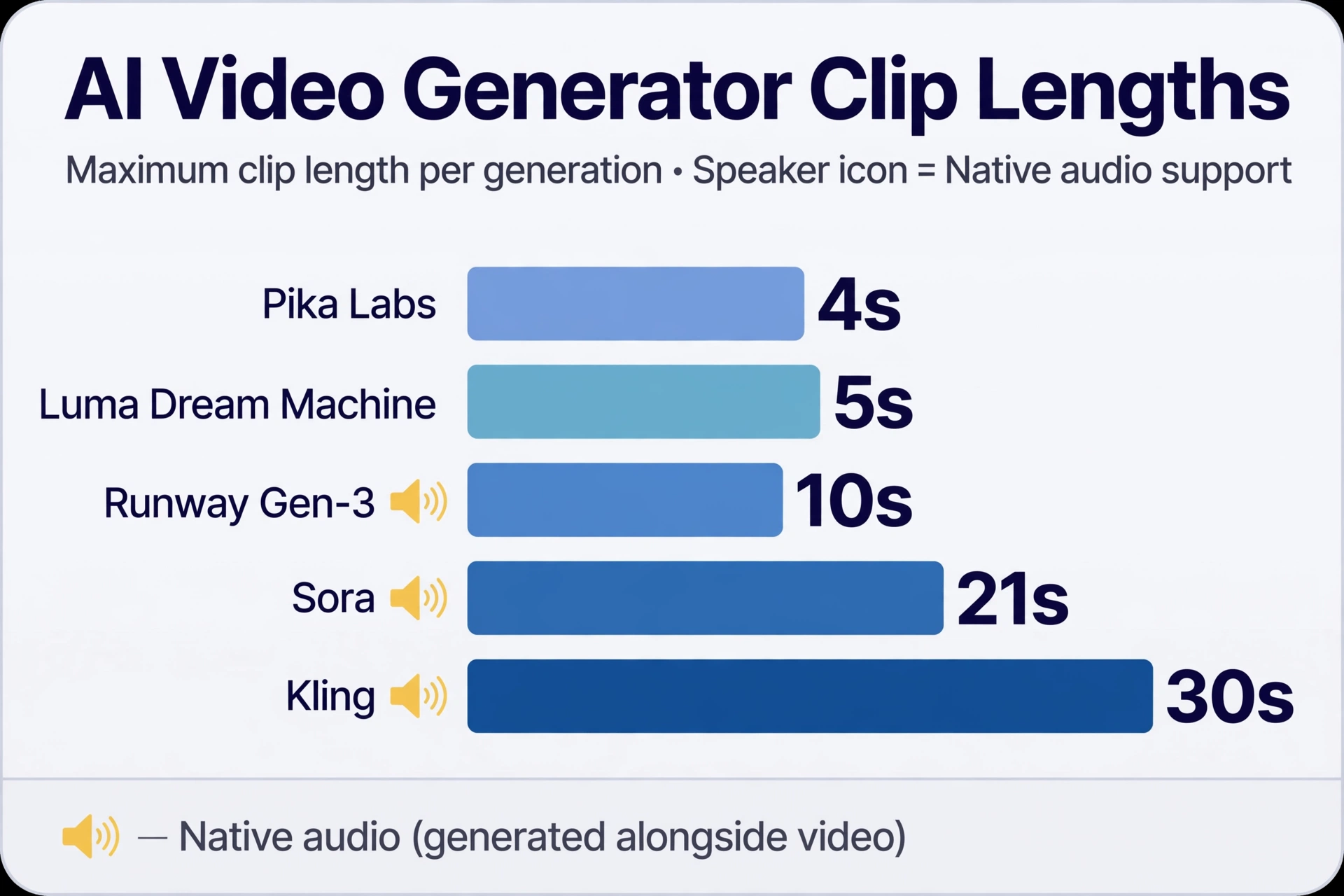
Kling is the quiet overachiever here. Version 3.0 handles text, image, and video references with native audio, generates clips up to 15 seconds — nearly double most rivals — and is especially strong on human motion and camera movement.
Free accounts get 66 credits a day (expiring in 24h, watermarked, no commercial use). Standard is $10/mo, first month ~$6.99 — watch the renewal price. Paid plans unlock commercial use, watermark removal, and faster generation.
Use it for: motion-heavy scenes, character consistency, and high-volume social content.
4. Seedance 2.5: The Long-Form Specialist
ByteDance’s Seedance 2.5 does something nobody else here does: up to 30 seconds of audio and video in one generation, with dense multimodal references — images, video, and audio feeding the same shot. Built for multi-shot scenes with recurring characters. Access runs through BytePlus on usage-based billing, and it’s also inside ByteDance’s Dreamina/CapCut tools.
No simple consumer subscription — best for teams comfortable with usage billing.
Use it for: longer narrative scenes and multi-shot ads.
5. Pika: The Social Creative Platform
Pika rebuilt itself in September 2026 into a multi-model creative platform, with a Video Studio assembling multi-shot videos up to 30 seconds with sound. It also exposes other models (Seedance, MiniMax, Wan)
Careful with pricing: the $0 plan has zero monthly credits — you buy credit packs to generate. Starter is $10/mo ($8 annual) for 900 credits with no commercial license; commercial use starts at Creator, $35/mo.
Use it for: social content and creative effects. See our Runway vs Pika breakdown.
6. Hailuo (MiniMax H3): The Reference Machine
Hailuo is the browser front door to MiniMax’s video models, currently H3. Its standout is reference depth: text, images, video, and audio feeding one generation, with native stereo sound and video-to-video motion transfer. For product and brand work where output must match existing assets, that’s the reason to pick it. Clips run 4–15 seconds at up to 2K.
Free access is a one-time welcome credit package expiring after three days, watermarked. Memberships start around $9.99/mo; Standard lists at $14.99 for 1,000 monthly credits.
Use it for: product creative and motion transfer.
7. Luma Dream Machine: The Footage Transformer
Luma’s strength isn’t pure generation — it’s what happens after. Dream Machine makes 5–10 second clips, but the real workflow is modification: extend, reframe, upscale, restyle, and transform existing footage in one app.
No native audio — that’s the gap to know. Lite is $9.99/mo (3,200 credits, watermarked, personal use); Plus is $29.99 (10,000 credits, watermark-free, commercial).
Use it for: image animation and restyling footage.
8. Adobe Firefly: The Safe Corporate Choice
Firefly’s video model plays the same card as its image model: trained on licensed content, commercially safe by design, and inside the Adobe apps teams already use. Generate B-roll, extend footage, or build transitions directly in the timeline.
Standard is $9.99/mo with 2,000 credits — roughly twenty 5-second clips — and Pro is $19.99 with 4,000. Limited free daily allowance. Clips top out around 5–8 seconds.
Use it for: brand content where licensing clarity is non-negotiable.
9. PixVerse: The Budget Social Pick
PixVerse is the cheapest credible way into AI video with native audio. The free tier gives 30 credits a day (capped at 540p, watermarked); Standard is $10/mo ($8 annual) for 1,200 monthly credits plus a daily refresh. Clips run 1–15 seconds at up to 1080p.
Use it for: daily social video at the lowest serious price point.
10. HeyGen: The Avatar Specialist
HeyGen is a different branch of AI video: AI presenters, not generated footage. Type a script, pick an avatar (or clone yourself), and get a talking-head video with lip-sync across 40+ languages — up to 30 minutes long.
The free tier allows up to 3 videos a month. Creator is $29/mo ($24 annual) with 600 credits, 1080p export, watermark removal, and voice cloning.
Use it for: training, explainers, and multilingual video.
Pick by Your Actual Job
- Cinematic hero clips with sound: Veo 3.1.
- Directing shots like a filmmaker: Runway.
- Most motion per dollar: Kling 3.0. Fifteen-second clips with audio at $10/mo.
- Scenes longer than a clip: Seedance 2.5. Thirty seconds in one pass.
- Daily social posting: PixVerse for budget, Pika for range.
- A presenter, not footage: HeyGen.
- Matching existing brand assets: Hailuo.
- Pushing footage further: Luma.
- Corporate and licensed work: Firefly.
Notice what’s missing from every recommendation: Sora. If a tutorial or older ranking sends you to sora.chatgpt.com, that door is closed.
The Credits Math Nobody Shows You
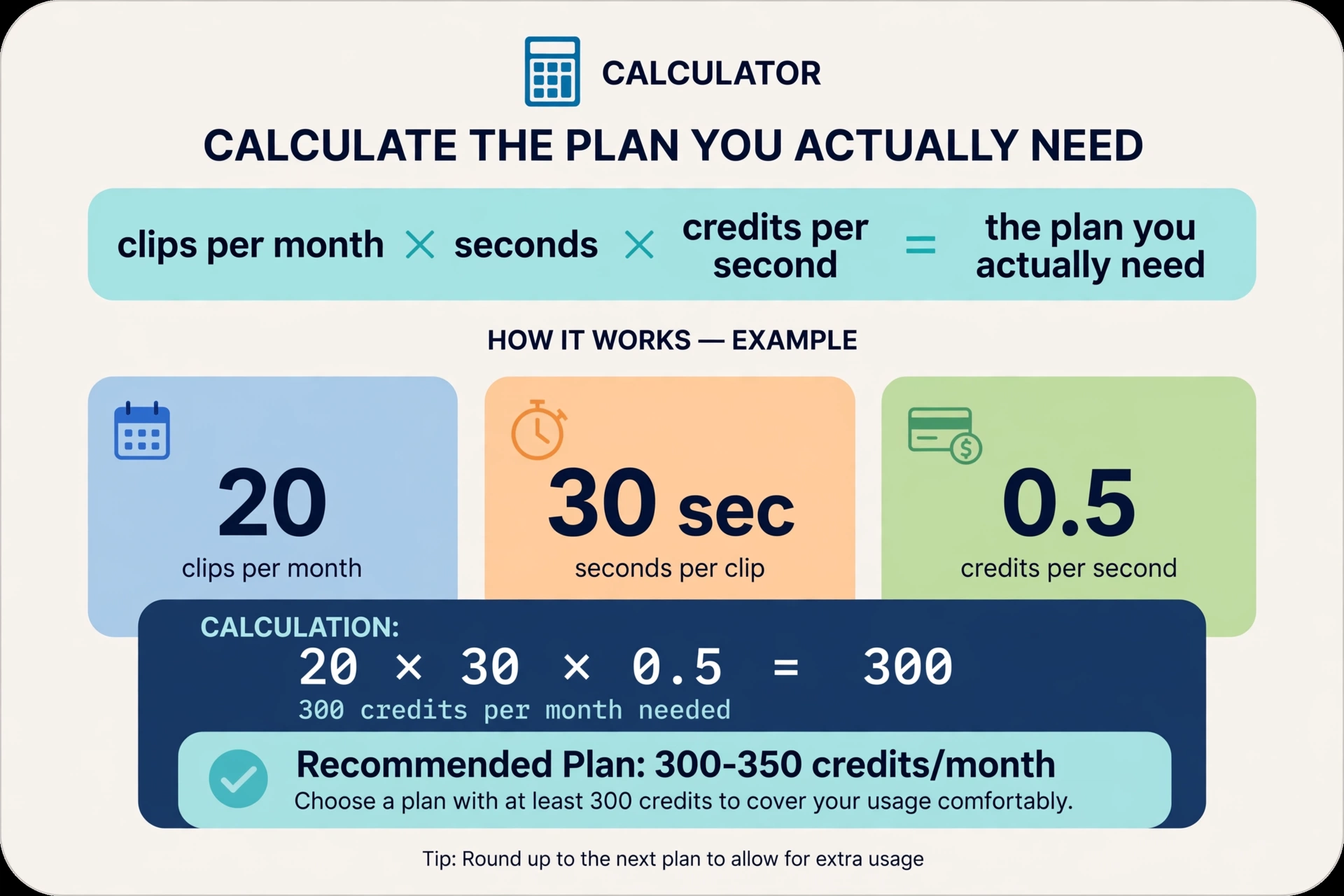
Every platform prices in credits, and a credit is not a currency — its value changes with the model, resolution, and clip length. Runway’s 625 monthly credits buy about ten 5-second Gen-4.5 clips. Pika’s 900 Starter credits come with no commercial license, so they’re worthless for monetized work.
Before subscribing: how many finished clips do you need a month, at what length, and does the plan’s credit pool cover that at the model’s per-second rate? Then check what the marketing page buries: watermarks and commercial-use rights on your tier. Those two answers eliminate half the list.
Frequently Asked Questions
Is Sora really discontinued?
Yes. OpenAI announced the shutdown in March 2026, closed the Sora apps on April 26, 2026, and removed the Sora 2 API on September 24, 2026, with no replacement. If a guide still recommends Sora as a live tool, it’s outdated.
What’s the best free AI video generator?
Video is expensive to compute, so free tiers are thin. The most usable recurring allowances: Google Flow’s daily credits for Veo, Kling’s 66 daily credits (watermarked, no commercial use), and PixVerse’s 30 daily credits. Runway’s 125 credits are one-time.
Which AI video generators create audio too?
Veo 3.1, Kling 3.0, Seedance 2.5, Hailuo’s MiniMax H3, PixVerse, and Pika’s Video Studio all generate native audio. Runway, Luma, and Adobe Firefly handle audio through separate tools.
Can I use AI-generated videos commercially?
Depends on the plan. Kling’s free output isn’t commercially licensed, and Pika’s commercial license starts at the $35/month Creator plan. Adobe Firefly is the safest overall bet thanks to licensed training data. Always check the current terms of the exact plan you’re on.
Which AI video generator is best for YouTube?
For cinematic B-roll and Shorts: Veo 3.1 or Kling 3.0. For faceless channels: pair one with our AI voiceover guide and faceless YouTube guide. For talking-head explainers: HeyGen.
Conclusion
Once Sora’s gone, the 2026 landscape has a clear shape: Veo 3.1 sets the quality bar, Runway owns professional control, Kling owns value, Seedance owns length, and the rest win specific jobs. Pick by the job, do the credits math, and check the commercial-rights fine print.
Your next step: burn the free tiers first. Run the same prompt — one person, one clear action, one camera move — through Veo (Flow), Kling, and PixVerse’s free allowances in a single afternoon. You’ll learn more about which tool fits your eye than any ranking can teach you.