
Quick answer: Intercom Fin is the strongest resolver if each conversation is worth enough to justify roughly $0.99 per resolution plus a seat. At 50–200 conversations a month, Crisp is the better buy. If you want the lowest bill, Tawk.to’s AI Assist starts free (100 AI credits a month) and costs $29 a month for 1,000 credits — the cheapest AI in this comparison — and Chatling at $25 a month is the best value for a content-trained bot, because chats are unlimited and you only pay per AI reply. Chatbase remains the fastest way to get a bot trained on your own content. The deciding factor is not the headline price. It is what the tool charges per conversation, per resolution, or per credit once your volume grows — and whether the bot hands off cleanly to a human instead of inventing answers.
Every chatbot pricing page answers a different question than the one you asked. One charges per conversation. Another charges per resolution. A third charges per seat, then bills AI separately in credits or sessions. Two tools with the same “$29 a month” headline can land $68 or $524 apart at 500 conversations a month.
This guide fixes that. It compares seven tools — Tidio (Lyro), Chatbase, Intercom (Fin), Zendesk AI, Freshchat (Freddy), HubSpot Chat, and Crisp — on the same three volumes, in each tool’s own billing unit, with the arithmetic shown. It also tells you which free tiers are genuinely monthly and which are one-time allowances dressed up as free plans. Three more tools worth a look — Chatling, Tawk.to, and Botsonic — follow the main seven, with their costs folded into the same tables.
The Tools at a Glance
| Tool | AI product | Billing unit | Best for | Starting point |
|---|---|---|---|---|
| Tidio | Lyro | Per AI conversation | All-round website chat + sales | Free inbox; Lyro from $39/mo |
| Chatbase | AI agent | Message credits | Bot trained on your own content | Free 50 credits/mo; Hobby $40/mo |
| Intercom | Fin | Per resolution + per seat | High-value support conversations | Essential $29/seat/mo (annual) + $0.99/resolution |
| Zendesk AI | AI agents | Per automated resolution + per agent | Teams already running Zendesk | Suite Team $55/agent/mo (annual) |
| Freshchat | Freddy AI Agent | Per session + per agent | Growing support teams | Growth $19/agent/mo (annual) |
| HubSpot | Customer Agent | HubSpot credits + per seat | Teams already on HubSpot | Service Hub Professional $90/seat/mo (annual) |
| Crisp | Hugo / AI Agent | AI credits in a flat workspace price | Small teams wanting flat pricing | Free 2 seats; Mini $45/mo per workspace |
| Chatling | AI agent | Per AI reply (credit) | Content-trained bot with model choice | Free 200 credits; Starter $25/mo |
| Tawk.to | AI Assist | Per AI message (credit) | Cheapest AI, website-only | Free Hobby (100 credits); Growth $29/mo |
| Botsonic | AI chatbot | Per message | Lowest paid price | 7-day trial; Starter $19/mo |

What Each Tool Actually Costs at 50, 200, and 500 AI Conversations
This is the table the pricing pages make hard to build. Every tool bills a different unit, so read the row labels carefully. “Conversation” on Tidio is not the same as a “resolution” on Intercom or a “session” on Freshchat. The figures below assume one AI conversation produces one billable unit on each tool’s meter — one Lyro conversation, one Fin resolution, one Freddy session, one HubSpot resolved conversation — except Chatbase, where replies cost 1–6 credits depending on the model, and Chatling, where replies cost a fraction of a credit to several credits depending on the model. Seat prices use annual billing, the cheaper rate vendors headline; paying monthly raises seat prices (Intercom Essential is $39/seat monthly, Zendesk Suite Team is $69/agent monthly). Lyro add-on figures are monthly-billing. Tawk.to is billed per property, not per seat.
| Tool | Billing unit | 50/mo | 200/mo | 500/mo |
|---|---|---|---|---|
| Tidio (Lyro add-on) | Per AI conversation | $39 | $210 | $525 |
| Chatbase (Hobby) | Message credits | $40 | $40 | $40–$80 |
| Intercom (Fin, 1 seat) | Per resolution + seat | $78.50 | $227 | $524 |
| Zendesk AI (1 agent) | Per resolution + seat | $145 | $445 | $1,045 |
| Freshchat (Freddy, 1 agent) | Per session + seat | $68 | $117 | $264 |
| HubSpot (Customer Agent, 1 seat) | Credits + seat | $90 | $153 | $288 |
| Crisp (Mini/Essentials) | AI credits in flat price | $45 | ~$51–$56 | ~$98–$100 |
| Chatling (Starter) | Per AI reply (credit) | $25 | $25 | $25–$140 |
| Tawk.to (AI Assist) | Per AI message (credit) | $0–$29 | $29 | $29 |
| Botsonic (Starter) | Per message | $19 | $19 | $19–$49 |
How each number was worked out:
- Tidio: Lyro is sold in tiers — $39 for 50 AI conversations, $110 for 150, $210 for 300, $525 for 750. At 200 you need the 300 tier; at 500 you need the 750 tier. This is the Lyro add-on only. The free inbox plan covers your first 50 human-handled conversations a month, and every account starts with 50 Lyro conversations free — once, not monthly.
- Chatbase: Hobby is $40 a month for 700 message credits. At an assumed 2 credits per reply and one reply per conversation, 50 conversations use 100 credits and 200 use 400 — both inside Hobby. At 500 conversations (about 1,000 credits) you pass the 700 allowance, and auto-recharge adds 1,000 credits for $40, taking the total to $80. If your replies average 1 credit, 500 conversations stay inside Hobby at $40. The range is honest because the credit cost depends on the model you pick.
- Intercom: One Essential seat at $29 plus Fin at $0.99 per resolution. At 50 resolutions: $29 + $49.50 = $78.50. At 200: $29 + $198 = $227. At 500: $29 + $495 = $524. Fin is free when it escalates without resolving, so you pay only for outcomes.
- Zendesk: Suite Team is $55 per agent a month and includes 5 automated resolutions per agent. Extra resolutions cost $2.00 pay-as-you-go. At 50: $55 + 45 × $2.00 = $145. At 200: $55 + 195 × $2.00 = $445. At 500: $55 + 495 × $2.00 = $1,045. Committed volume drops the extra-resolution rate to $1.50, which would lower each figure.
- Freshchat: Growth is $19 per agent a month. Freddy sessions cost $49 per 100 after the account’s one-time 500 free sessions run out. Steady state: 50 sessions need one pack ($19 + $49 = $68); 200 need two packs ($19 + $98 = $117); 500 need five packs ($19 + $245 = $264). Your first 500 sessions are free once, so month one is cheaper than this table.
- HubSpot: Service Hub Professional is $90 per seat a month and includes 3,000 HubSpot credits. The Customer Agent burns 50 credits per resolved conversation. At 50 resolutions (2,500 credits) you stay inside the allowance: $90. At 200 (10,000 credits) you need 7,000 extra credits at about $9 per 1,000: $90 + $63 = $153. At 500 (25,000 credits) you need 22,000 extra: $90 + $198 = $288. HubSpot also charges a one-time $1,500 onboarding fee on Professional, which is not in the table. Credits are shared with other Breeze AI features, so heavy use elsewhere shrinks what is left for the bot.
- Crisp: Mini is $45 per workspace and includes $5 of AI credits, roughly 90 automated conversations. At 50, you stay inside the allowance: $45. At 200, Mini plus pay-as-you-go for about 110 extra conversations at roughly $0.05–$0.10 each lands near $51–$56. At 500, Essentials at $95 includes $25 of credits (roughly 450 conversations) plus pay-as-you-go for the rest, landing near $98–$100. Crisp’s per-conversation AI cost varies, so these two figures are ranges, not exact quotes.
- Chatling: Starter is $25 a month for 1,750 AI credits, and chats themselves are unlimited. Each AI reply costs credits depending on the model — a light model like Gemini Flash costs 0.5 credits per reply, so 500 replies use 250 credits and stay on Starter at $25. A heavy model like Claude Opus or GPT-5.6 costs 25 credits per reply, so 500 replies need 12,500 credits: Growth at $75 (6,000 credits) plus 6,500 top-up credits at $10 per 1,000 ($65) = $140. Scale at $295 covers it with room to spare.
- Tawk.to: AI Assist’s free Hobby tier gives 100 AI credits a month; Growth is $29 a month for 1,000 credits. At 50 conversations, the free Hobby tier may cover you ($0); at 200 and 500, Growth at $29 covers it, assuming one AI message per conversation. Multi-message chats use extra credits at $30 per 1,000. Live chat itself is free and unlimited at every volume.
- Botsonic: Starter is $19 a month ($16 on annual billing) for 1,000 messages. At 50 and 200 conversations, Starter covers it. At 500, multi-message conversations can push past 1,000 messages, so the range runs to Professional at $49 ($41 annual) for 3,000 messages.
Two patterns jump out. First, the cheapest tool at 50 conversations is not the cheapest at 500. Crisp and Tidio stay flat-ish at low volume; per-resolution billing on Zendesk and Intercom climbs in a straight line. Second, seats matter as much as AI usage. A one-person shop pays one seat. A five-person team multiplies the seat line on Intercom, Zendesk, Freshchat, and HubSpot — but not on Crisp, which prices per workspace, or on Tidio’s Lyro add-on. The three extras sharpen the point: Tawk.to is the cheapest AI at every volume, and Chatling shows how the model you pick — not just the plan — decides the bill.
Free-Tier Truth: What “Free” Really Gives You
Free tiers are where the pricing pages get slippery. Two of the tools hand you a one-time allowance and let you believe it refills every month. It does not.
- Tidio: Every account gets 50 Lyro conversations free — once. After those are used, you need a paid Lyro plan to get a monthly allowance. The free inbox plan itself is monthly: 50 billable human-handled conversations a month. So “free” covers a small shop’s human chat every month, but the AI part is a trial in everything but name.
- Chatbase: The free plan gives you 50 message credits a month, every month, for one agent. That is genuinely recurring, but 50 credits is a testing allowance, not a working one. It covers a few dozen short conversations. Agents on the free plan are deleted after 14 days of inactivity.
- Tawk.to: Live chat is free and unlimited — no cap on agents, chats, or websites. The AI Assist add-on has a free Hobby tier with 100 AI credits a month, genuinely recurring. That makes Tawk.to the only tool here with a real $0 AI option. The catch: the AI is narrower than the paid-first tools, it only works on your website (no WhatsApp or Instagram), and removing the “Powered by tawk.to” badge costs $29 a month per property.
- Freshchat: The free plan covers up to 10 agents for live chat — real, usable, monthly. It includes no AI. The 500 Freddy sessions that come with Growth and above are a one-time block per account, not 500 a month.
- Crisp: The free plan gives you 2 seats, website chat, and a shared inbox — but zero AI credits. It is a free live-chat tool, not a free AI chatbot.
- HubSpot: The rule-based chatbot builder is free, with HubSpot branding. The AI agent (Customer Agent) is not on the free plan at all. It starts at Service Hub Professional.
- Intercom and Zendesk: Neither has a free tier. Both offer a 14-day trial.
If your budget this month is truly zero, Tawk.to is the only honest $0 AI option — free live chat plus 100 AI credits a month. Otherwise your honest options are Crisp or Freshchat for human chat, or Chatbase’s 50 monthly credits for a small AI test bot. Everything else with real AI in it starts at $19–$45 a month.
Pick by the Job, Not the Feature List
Chatbots do four different jobs, and the best tool for one is a poor fit for another. Match the tool to the job you actually have.
Job 1: Answer repeat questions on your website. The bot reads your FAQ, pricing, and policy pages and answers visitors. Chatbase is the fastest route here: point it at your site and documents, embed the widget. Tidio does the same job with live chat and sales tools attached. Chatling is the value alternative: unlimited chats with pay-per-reply credits, and you can pick the AI model. If your site has almost no written content, no bot will answer well — the bot can only repeat what you feed it.
Job 2: Run an online store. The bot needs to know order status, shipping, and returns — live data from your store, not static FAQ pages. Tidio’s Shopify and WooCommerce integrations cover this for small stores. Crisp also syncs Shopify and WooCommerce order data into the inbox. A content-only bot like Chatbase cannot look up an order, so it will hand every “where is my order?” message to you.
Job 3: Catch leads and book meetings. The bot qualifies visitors and gets them to a human or a calendar. HubSpot’s bot is the natural pick if your CRM is already HubSpot, because every conversation lands straight in the contact record. Tidio’s Flows handle lead capture with rule-based paths plus Lyro for open questions.
Job 4: Handle support inside a helpdesk you already run. The bot sits on top of tickets, email, and chat. Zendesk AI only makes sense if your team already lives in Zendesk — buying Zendesk just for the bot is overkill at $55 per agent plus resolution fees. Freshchat fits the same job inside the Freshworks stack at a lower seat price. If you run no helpdesk at all, skip this job category entirely.
Job 5: Keep the bill as low as possible. Tawk.to’s AI Assist is the cheapest AI at every volume ($0–$29). If you want a content-trained bot, Botsonic at $19 a month and Chatling at $25 a month are the lowest paid options. Tidio and Chatbase remain solid, but they are no longer the cheapest.
Job 6: Reach customers on WhatsApp and Instagram. If your customers message you on WhatsApp or Instagram, a website-only bot will not reach them. Crisp and Chatling cover WhatsApp and Instagram on their entry plans; Botsonic covers WhatsApp, Messenger, and Telegram. Fin covers messaging too. Tidio and Chatbase list messaging integrations, but confirm the channel you need is on your plan before buying. Tawk.to’s AI is website-only.
Phone calls are a separate job this article does not cover. If your customers mostly call you, you need an AI voice receptionist, which bills by minutes or calls — a different product from a website chatbot. Do not buy a website widget to solve a phone problem.
The 7 Tools in Detail
1. Tidio (Lyro) — Best All-Round Pick for Most Small Businesses
Tidio pairs live chat, email, and social messages in one inbox with Lyro, its AI agent. Lyro answers from your support content and hands off to a human when it cannot answer. The inbox is billed by human-handled conversations, and Lyro is billed separately by AI conversations — two meters, two bills.
The Starter inbox plan is $29 a month on monthly billing ($24.17 on annual) for 100 billable conversations. Growth starts at $59 monthly ($49.17 annual) for 250. Lyro costs $39 a month for 50 AI conversations on monthly billing ($32.50 annual), rising to $110 for 150, $210 for 300, and $525 for 750. A conversation counts once on each meter no matter how many messages it holds, and a conversation Lyro starts and a person finishes can count on both. Watch for Tidio’s auto-upgrade rule: if you keep exceeding your plan, it can move you up unless you opt out. Tidio actually runs three meters at once — billable conversations, Lyro conversations, and visitors reached by Flows — and the Flows meter is the one most owners miss. Above Growth, the next tier is Plus at about $300 a month, a steep cliff with nothing in between.
Lyro suits a small store or service business that wants one widget for support and light sales. Its Shopify, WordPress, and WooCommerce integrations are one-click, and setup is an afternoon’s work. The ceiling is volume: at 500 AI conversations a month, Lyro alone costs $525, which is when per-resolution rivals start to look competitive.
2. Chatbase — Fastest Bot Trained on Your Own Content
Chatbase turns your website, PDFs, and documents into a chatbot you embed on your site. It is the simplest tool on this list to launch: upload content, get a widget. The current pricing is $0 for 50 message credits a month, $40 a month for Hobby (700 credits, 2 members), $150 for Standard (4,000 credits, 3 members, helpdesk, voice, API access), and $500 for Pro (15,000 credits, 5 members). Annual billing cuts each paid plan by 20%.
The credit system is the part to understand before you buy. Each AI reply costs 1–6 credits depending on the model you choose, and replies that trigger actions cost extra because the agent makes a second model call. One plan includes one AI agent; extra agents cost $25 a month each, and removing the “Powered by Chatbase” badge costs $99 a month. Unused subscription credits do not roll over, but auto-recharge credits ($40 per 1,000) never expire.
Chatbase fits a business with strong written content — a consultant, an agency, a service company with detailed pages — that wants a bot answering from that content and nothing else. It is not an order system and it is not a helpdesk on Hobby, so if your visitors mostly ask “where is my order?”, pick a store-aware tool instead.
3. Intercom (Fin) — Strongest Resolver, Priced per Outcome
Fin is Intercom’s AI agent. It reads your help center, past conversations, and connected sources, answers on its own, and escalates to a human with full context when it cannot resolve the issue. Intercom describes Fin as preferring to say it does not know rather than invent an answer — the behaviour you want in front of customers.
The price has two parts. Seats: Essential $29 per seat a month on annual billing ($39 monthly), Advanced $85, Expert $132. Fin: $0.99 per resolution, charged at most once per conversation. Escalations where Fin cannot resolve are free. There is no free tier; the trial runs 14 days. If you run Fin on a different helpdesk instead of Intercom, there is a 50-outcome monthly minimum (about $49).
Two billing details deserve attention. First, Fin counts an ‘assumed resolution’ — a customer who simply stops replying — as a billable $0.99 outcome, even though nothing was confirmed solved. So the billable count can run higher than the number of problems genuinely solved. Fin also charges $9.99 for a qualification outcome, when it routes a matched sales lead — ten times a resolution. Second, Salesforce completed its acquisition of Intercom in September 2026; pricing was unchanged as of late September 2026, but watch for roadmap shifts.
Fin is the right pick when each conversation carries real money — a SaaS product, a subscription service, a business where a mishandled reply costs more than a dollar. It is the wrong pick when your questions are simple and your margins are thin: at 500 resolutions a month, Fin alone costs $495 before seats. A pizza shop does not need a $524-a-month bot to answer “what time do you close?”
4. Zendesk AI — Only If You Already Run Zendesk
Zendesk’s AI agents sit inside its Suite helpdesk, drawing on the same knowledge base, tickets, and routing your team already uses. They resolve common queries and hand off to agents with full context. That integration is the entire case for Zendesk AI. As a standalone chatbot purchase, it is the most expensive option on this list.

Suite Team costs $55 per agent a month on annual billing ($69 monthly) and includes just 5 automated resolutions per agent a month. Suite Professional is $115 per agent ($149 monthly) with 10 included. Beyond the allowance, extra resolutions cost $1.50 each on committed volume or $2.00 pay-as-you-go. There is no free plan.
Do the math for one agent at 200 resolutions a month: $55 in seat fees plus 195 extra resolutions at $2.00 is $445. The included allowance covers a sliver of real volume — about 2.5% of it at that level. Zendesk makes sense when your support team already lives in Zendesk and the bot is an add-on to a system you pay for anyway. It does not make sense as a first chatbot for a small business.
5. Freshchat (Freddy) — Best Value Inside a Support Stack
Freshchat is the messaging product inside Freshworks. Freddy, its AI agent, reads your help articles, files, and Q&As, answers over several turns, and hands the chat to a human agent when it cannot answer. The billing unit is the session: all of one customer’s interactions with the bot inside a 24-hour window count as one session.
Growth costs $19 per agent a month on annual billing, Pro $49, Enterprise $79. The free plan covers up to 10 agents for live chat but includes no AI. Every Growth-and-above account gets a one-time block of 500 Freddy sessions; after that, sessions cost $49 per 100 (about $0.49 each). Freddy Copilot, the agent-assist tool that drafts replies for humans, is a separate $29 per agent a month on Pro and Enterprise.
Freshchat fits a small team that is hiring its first support person and wants a platform it will not outgrow. The seat price is the lowest of the helpdesk-style tools here. If you only need chat and not the wider Freshworks suite, compare it against Tidio and Crisp first — they are simpler to run.
6. HubSpot Chat — Best If Your CRM Is Already HubSpot
HubSpot has two bots, and the pricing page blurs the line between them. The rule-based chatbot builder (Chatflows) is free and handles scripted paths, lead capture, and routing. The AI agent, Customer Agent, answers from your knowledge base and resolves conversations on its own. The AI agent needs Service Hub Professional or Enterprise.
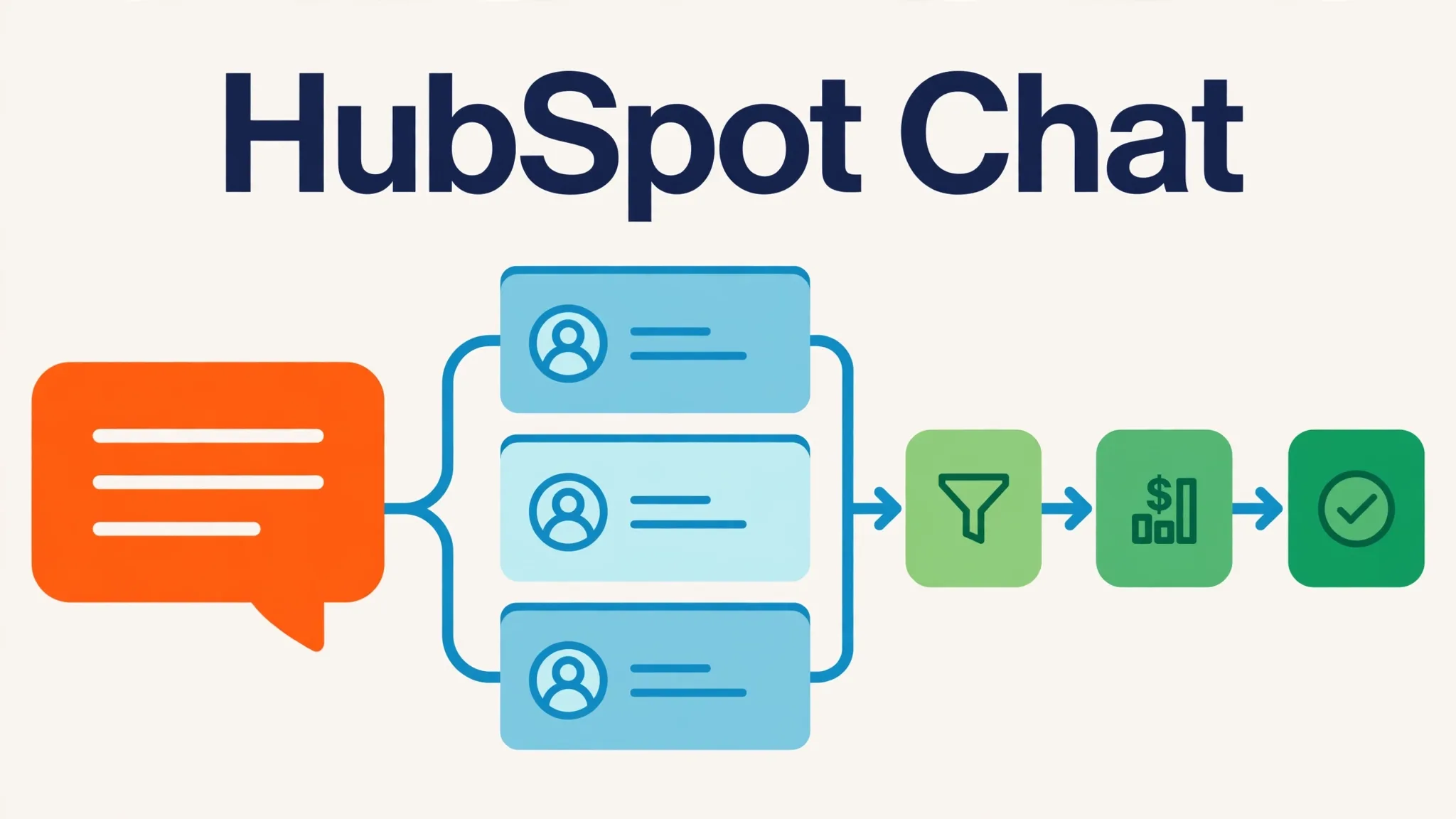
Service Hub Professional is $90 per seat a month on annual billing, plus a one-time $1,500 onboarding fee. It includes 3,000 HubSpot credits a month. The Customer Agent burns 50 credits — about $0.50 — per resolved conversation. Extra credits cost about $9 per 1,000. The free tier gives you live chat and the rule-based bot with HubSpot branding.
HubSpot is the right pick when your sales and support already run on HubSpot CRM, because the bot writes every conversation into the contact record with no syncing. It is the wrong reason to move your CRM. If you are not on HubSpot, you would be paying $90 a seat plus onboarding plus credits to get a bot that other tools sell for $40–$45 a month.
7. Crisp — Flattest Pricing for Small Teams
Crisp bundles a shared inbox, live chat, and an AI agent into one workspace-priced product. You pay per workspace, not per seat, which is the pricing model that hurts small teams least. Human conversations are unlimited on every plan; only AI usage is metered, through credits.
The plans: Free ($0, 2 seats, no AI credits), Mini ($45 a month, 4 seats, $5 of AI credits — roughly 90 automated conversations), Essentials ($95, 10 seats, $25 of credits — roughly 450 conversations), Plus ($295, 20+ seats, $75 of credits — roughly 1,350 conversations). Extra seats on Plus cost $10 each a month. When AI credits run out, the bot stops answering unless you switch on pay-as-you-go. Credits reset monthly and do not roll over.
Crisp fits a small team that wants one inbox for website chat, email, and social DMs with AI answering the routine share. One gating detail: the full AI chatbot builder and knowledge base unlock at Essentials ($95); Mini’s $5 credits cover Hugo auto-replies, not the builder. The seat caps are the catch: an 11th team member forces a jump from Essentials ($95) to Plus ($295). If your team is growing past 10, check that jump before you commit.
Three More Tools Worth a Look
The seven tools above are the main comparison. Three more are worth knowing about because each one changes the cost picture in a way the main seven do not.
Chatling — Best Value for a Content-Trained Bot
Chatling trains on your content like Chatbase, but it bills differently: chats are unlimited, and you pay per AI reply in credits. Starter is $25 a month for 1,750 credits, 2 AI agents, and 2 seats. Growth is $75 for 6,000 credits; Scale is $295 for 35,000. A free plan gives 200 credits. The lever is the model: a light model like Gemini Flash costs 0.5 credits per reply, so 500 replies use 250 credits and stay on Starter. A heavy model like Claude Opus or GPT-5.6 costs 25 credits per reply, which can push the same volume toward Growth plus top-ups. Extra credits cost $10 per 1,000. Chatling also covers WhatsApp, Instagram, Messenger, and Telegram, and you can pick from a broad model library spanning the GPT, Claude, and Gemini families. It fits a business that wants a content-trained bot and is willing to pick a model to control the bill.
Tawk.to — The Only Real $0 AI Option
Tawk.to’s live chat is free and unlimited — no cap on agents, chats, or websites — and it includes ticketing, a knowledge base, and a basic CRM. The AI Assist add-on has a free Hobby tier (100 AI credits a month) and a Growth tier at $29 a month for 1,000 credits. That makes Tawk.to the cheapest AI in this comparison at every volume. The trade-offs are real: the AI is narrower than the paid-first tools, it only works on your website (no WhatsApp or Instagram), and add-ons are billed per property — a second website means a second $29. Removing the “Powered by tawk.to” badge costs another $29 a month per property. Tawk.to fits a business that wants to start at $0 and add AI without changing platforms.
Botsonic — Lowest Paid Price, With a Handoff Catch
Botsonic, from Writesonic, is a content-trained chatbot with the lowest paid entry price here: Starter is $19 a month ($16 on annual billing) for 1,000 messages, one chatbot, and one member. Professional is $49 ($41 annual) for 3,000 messages. WhatsApp, Messenger, and Telegram are included on Starter, which is unusual at this price. The catch is handoff: live-agent handoff through Zendesk costs a $199-a-month add-on, and removing Botsonic branding costs $49 a month. Auto-sync of your content only starts on Advanced ($249 a month annual), so lower plans need manual retraining when your content changes. Botsonic fits a solo founder or small site that needs a paid bot for under $20 a month and does not need deep handoff.
Will the Bot Invent Answers? Handoff and Hallucination
Every tool on this list says its bot answers from your content. That is true and it is not the whole story. A bot grounded in your content is less likely to invent a policy — but “less likely” is not “never.” The question to ask is not whether the bot can hallucinate. It is what happens when it is about to.
There is a real case on this. In Moffatt v. Air Canada (2024 BCCRT 149), Air Canada’s chatbot told a passenger he could claim a bereavement fare retroactively. The airline’s own policy said otherwise. The British Columbia Civil Resolution Tribunal held Air Canada liable for the chatbot’s wrong answer, rejected the argument that the chatbot was a separate legal entity responsible for its own words, and ordered Air Canada to pay CA$812.02. The lesson for a small business is blunt: your bot’s words are your words. You cannot blame the software.
So before you buy, check three behaviours on every shortlist tool:
- Does it say “I don’t know”? The bot must have a way to decline when your content has no answer. A bot that always produces an answer will eventually produce a wrong one.
- Does handoff carry context? When the bot passes a conversation to a human, the person should see the full transcript, not a bare “customer needs help.” Every tool on this list claims context-carrying handoff. Verify it in the trial.
- Can you fence the topics? The bot should refuse — or escalate immediately — on money questions it has no authority over: refunds outside policy, custom pricing, medical or legal advice. If the tool cannot fence topics, you fence them with your content: do not feed the bot anything you would not want quoted back to a customer.
The 10-Question Test (Run It Yourself Before You Pay)
No roundup can tell you how a bot behaves on your content. Run this protocol on your own shortlist instead. It takes about an hour per tool, most of it watching the bot answer.
Write 10 questions: 5 routine ones from your real inbox, 3 edge cases (a refund just outside your policy window, a product variation you do not sell, a price that changed last month), and 2 traps (a question your content deliberately does not answer, and a question with a false premise, such as asking about a “premium plan” you do not offer). Score each answer: 2 points for a correct answer from your content, 1 for a clean handoff (“I don’t have that — let me get someone”), 0 for a wrong answer stated as fact, and −2 for an invented policy, price, or promise. A tool that scores below 12 out of 20 on your own content is not ready for your customers, whatever its marketing says. Fix the failures by adding or correcting source content first — most bad answers trace back to missing or stale source pages, not to the bot itself.
Getting Set Up Without Wrecking a Week
Setup is the same shape on every tool, and the knowledge base is where the time goes — not the install.
- Write your top 20 questions first. Pull them from your last three months of emails, chats, and DMs. Write one clear answer for each: hours, pricing, delivery areas, payment methods, returns, and the five questions only your business gets. If you use AI writing help to draft these answers, check every fact against your real policies before the bot ever sees them — a bot trained on a polished but wrong answer will repeat it confidently. Our guide to best-free-ai-writing-tools covers free drafting help, and how-to-write-better-emails-with-ai-without-sounding-robotic helps with the follow-up emails the bot hands off.
- Install the widget. Paste the snippet or use the Shopify/WordPress plugin. This is the 15-minute step.
- Set the handoff rules. Escalate on low confidence, on any explicit request for a human, and on trigger words such as “complaint,” “refund,” and “cancel.” Test that a handoff actually reaches someone during business hours and leaves a usable message after hours.
- Run the 10-question test above. Then ask a friend to try to break the bot with awkward phrasing, typos, and follow-up questions.
- Review the first 30 real conversations. Fix the source content behind every failure. Repeat weekly for the first month, then monthly. A bot you set and forget will quietly go stale the first time you change a price or policy.
For the content the bot reads, the same writing discipline applies as for any help page. How-to-use-ai-for-blog-writing covers structuring clear, scannable answers — the format bots (and customers) handle best.
When NOT to Buy a Chatbot
A chatbot is the wrong purchase when any of these are true:
- You get fewer than 10 inquiries a week. Answer them yourself. A bot saves you minutes, not hours, and adds a new thing to maintain.
- Nearly every inquiry needs a unique answer. If your work is custom quotes, complex diagnosis, or sensitive advice, a bot will hand off almost everything — and the handoff is all you bought.
- You have no written content. A bot with three FAQ entries will answer “I don’t know” all day. Write the content first; the bot comes second.
- Nobody will review conversations. A bot with no owner goes stale. If nobody on your team will spend 20 minutes a week checking what it said, do not install one.
- Your customers mostly call you. Buy phone coverage, not a website widget. A chat widget does nothing for a ringing phone.
- You need it to make judgment calls. Refunds outside policy, compensation for a bad experience, exceptions for a loyal customer — these need a human, always. A bot that tries them will cost you more than it saves.
Frequently Asked Questions
How much does an AI chatbot cost for a small business?
Between $0 and about $150 a month for most small businesses at low volume, and $100 to $550 at 500 AI conversations a month depending on the tool. The cheapest honest starting points are Tawk.to’s AI Assist (free Hobby tier, then $29 a month), Botsonic Starter at $19 a month, and Chatling Starter at $25 a month. Chatbase Hobby at $40, Tidio’s Lyro add-on at $39, and Crisp Mini at $45 remain solid but are no longer the cheapest. Per-resolution tools (Intercom, Zendesk) start cheap and climb in a straight line with volume, so model your volume before you commit.
Will an AI chatbot invent answers about my business?
It can, if it is allowed to guess. The protection is grounding plus handoff: feed the bot only your own content, require it to decline when it has no source, and escalate money and policy questions to a human. In Moffatt v. Air Canada (2024 BCCRT 149), a tribunal held an airline liable for its chatbot’s wrong fare advice — your bot’s answers are legally your answers. Run the 10-question test in this article before launch.
What is the best AI chatbot for a Shopify small business?
Tidio or Crisp. Both sync Shopify order data into the inbox, so the bot can answer “where is my order?” with real tracking information instead of a generic reply. A content-only bot cannot look up orders and will hand every order question to you.
Do I need a developer to set up an AI chatbot?
No, for any tool in this article. Installation is a pasted snippet or a one-click Shopify/WordPress plugin, and training is uploading your content. The work is writing good answers to your top 20 questions — about two hours — not code. If a tool needs a developer to go live, it is the wrong tool for a small business.
Can I just use the free plan?
For a while, yes, with limits. Tawk.to’s AI Assist has a free Hobby tier (100 AI credits a month) — the only genuinely free AI in this comparison. Chatbase’s free plan gives you 50 message credits a month — enough to test, not enough to run on. Crisp and Freshchat give you free live chat but no free AI. Tidio’s 50 free Lyro conversations are a one-time allowance, not a monthly one. If the bot is answering real customers every day, budget $19–$45 a month for a paid plan.
What is an ‘assumed resolution’ and why does it matter?
When a customer stops replying, Fin counts it as an ‘assumed resolution’ and bills $0.99, even though nothing was confirmed solved. It means your billable count can run higher than the number of problems genuinely solved — one more reason to model volume conservatively on per-resolution tools.
Which chatbot works on WhatsApp and Instagram?
Crisp and Chatling cover WhatsApp and Instagram on their entry plans; Botsonic covers WhatsApp, Messenger, and Telegram. Fin covers messaging too. Tidio and Chatbase list messaging integrations, but confirm the channel you need is on your plan. Tawk.to’s AI is website-only.
The Bottom Line
Start from your volume and your job. Under 200 AI conversations a month, six tools cost $0–$45 — pick on job fit and handoff, not price. Above that, the billing unit decides: Crisp’s flat workspace price, Chatbase’s credit pool, and Chatling’s per-reply credits stay gentle, Tidio’s Lyro tiers step up in chunks, and per-resolution billing on Intercom and Zendesk climbs with every answer. Whatever you pick, feed the bot only content you stand behind, set handoff rules before launch, and run the 10-question test yourself. The bot that says “I don’t know” and finds a human is worth more than the one that always has an answer.
Prices verified: October 2026. Sources for this update: Chatling pricing page (chatling.ai/pricing), Tawk.to add-ons page, Botsonic pricing page (botsonic.com/pricing), Fin pricing page (fin.ai/pricing), Crisp help docs (help.crisp.chat), and Intercom/Fin pricing coverage.
[…] Feed it your real policies first. If chat is your main support channel, our full guide to the best AI chatbot tools for small businesses compares Tidio with six rivals by real monthly cost, including the AI add ons most lists […]