

Quick answer: Consistent characters are a solved problem in 2026 — use reference-based generation (Midjourney‘s
--cref, Leonardo’s Character Reference, or NightCafe’s@namesystem) and keep one locked description plus a reference image for every new scene. One strong front-facing portrait is the minimum; three to four angles give noticeably better results. Pure prompt-only methods get you about 70–80% of the way there.
Why AI Characters Keep Changing (And How to Fix It)
You’ve been here. You generate a character you love for your comic, your children’s book, your story series. Then you ask for the next scene, and… who is that? New face. New hairstyle. New outfit. A different person every time.
Here’s why: most AI image models generate each image from scratch. They have no memory of what your character looked like in the last picture. It’s not a bug; it’s how the technology works.
The good news is that in 2026 there are reliable ways to lock a character’s identity across as many images as you need. We’ve tested the main approaches, from one-click character reference tools to prompt formulas and seed tricks. This guide covers everything: what works, what’s fiddly, and which method fits your project.
Method 1: Character Reference Tools (Easiest, Most Reliable)
The biggest breakthrough in character consistency is reference-based generation. You give the AI one or more images of your character, and it keeps that identity in every new scene. Simple concept, huge difference.
Tools with built-in character reference:
- Midjourney: Character Reference (
--cref) lets you attach a reference image; the model preserves the face and identity while your prompt sets the new scene. - Leonardo AI: Character Reference feature with adjustable strength, so you control how strictly the AI follows the reference.
- NightCafe: Define a character once with 1–4 reference images, name it (like
@bob), then type@bobin any prompt to place them in new scenes. - Ideogram Character (available via Picsart since Ideogram joined Picsart): Starts from one picture of your character; every new image keeps them recognizable while your prompt sets the scene.
- Kling: Its Elements system keeps subjects consistent across video shots too, useful if your story becomes a video.
The workflow:
- Create one strong master portrait. Clear, front-facing, neutral lighting, minimal shadows. This is your anchor.
- Save it as your reference in your chosen tool.
- Prompt only the scene. Describe the pose, setting, lighting, and action. Let the reference hold the character’s design.
- Generate variations. Same character, unlimited scenes.
The principle to remember: the reference carries the character design, so your prompt words should go toward the pose, the setting, and the lighting.
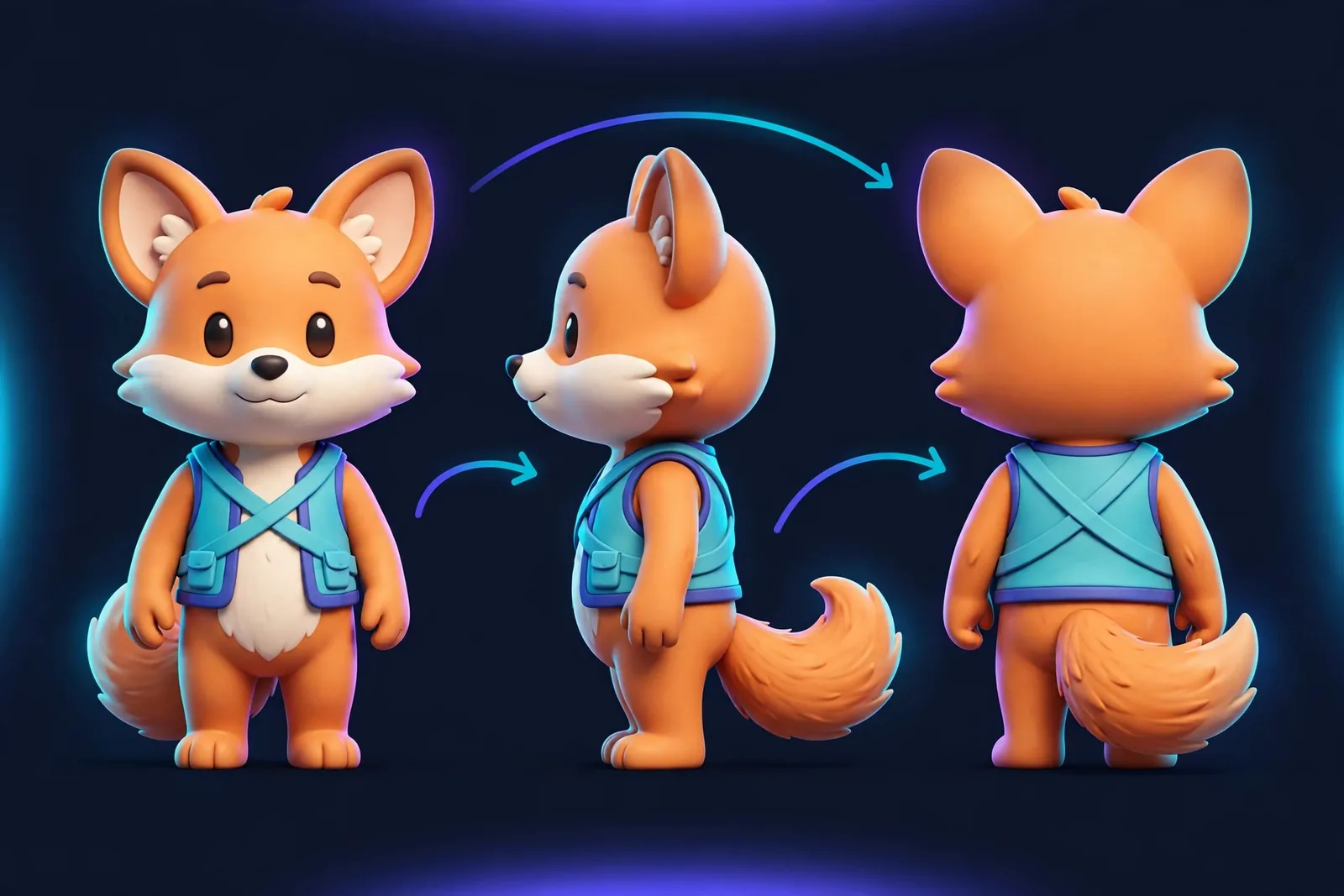
Method 2: The Locked Prompt Formula
What if your tool doesn’t have character reference? Or you’re using a general generator like ChatGPT’s image mode or Flux? Then use a locked description block: the exact same detailed description, pasted into every prompt.
Here’s the formula:
[CHARACTER BLOCK: never change this]
A 24-year-old woman with shoulder-length auburn hair in a loose braid,
freckles across her nose, round green eyes, and a small scar on her left
eyebrow. Wearing a navy denim jacket over a white t-shirt.

[SCENE BLOCK: change this each time]
Standing in a sunlit Parisian café, holding a coffee cup, morning light
through the windows, warm cinematic style.
Rules for the character block:
- Be specific about everything. Age, hairstyle, hair color, eye color, face shape, nose shape, distinctive marks, clothing.
- Never use names or pronouns (“he/she”). Always repeat the full physical description. Names mean nothing to the model; descriptions do.
- Lock the outfit unless the scene demands a change. Outfit changes are the number one cause of “different person” syndrome.
- Keep it in the same position in every prompt. The start of the prompt works best.
- Use ChatGPT or Claude to write the block. Ask it to produce one detailed, reusable character description, then reuse it verbatim.
This technique alone gets most creators to roughly 70–80% consistency in our experience.
Method 3: Seed Control
Every AI image has a seed: the random starting number that determines the generation. Same seed plus same prompt equals the same (or very similar) image.
How to use seeds for consistency:
- Generate your character until you get one you love.
- Save that seed number.
- Reuse the seed with modified scene prompts. The character’s core features carry over while the scene changes.
- In tools like Stable Diffusion, Playgrounds, or Leonardo, you can set the seed manually.
Worth knowing: changing the prompt too much (especially the background) can still shift the character’s appearance. Seeds work best combined with the locked prompt formula.
Method 4: Character Sheets
A classic illustrator technique, now AI-powered. Generate a character sheet: one image showing your character from multiple angles (front, side, 3/4 view) plus expressions.
Use it two ways. First, as the reference image for character-reference tools: multi-angle references noticeably improve accuracy. Second, as your own visual bible: when a generation drifts, compare it against the sheet and regenerate.
Prompt for a sheet: “Character reference sheet, [your locked description], front view, side view, back view, neutral expression and smiling, plain white background, consistent design.”
Method 5: Fine-Tuning (Advanced)
For maximum control over brand mascots, recurring book characters, and virtual influencers, you can fine-tune a model on your character (LoRA training on Stable Diffusion/Flux, or custom model training on some platforms).
The process: upload 15–30 images of your character, train a lightweight LoRA (under an hour on most platforms now), then trigger the character with a keyword in any prompt.
Is it overkill for most projects? Yes. But it’s the gold standard for commercial character work where identity must stay locked across hundreds of assets.
Common Mistakes That Break Consistency
- Changing the description between prompts. Even small rewordings (“brown hair” vs “auburn hair”) shift the output. Copy-paste verbatim.
- Dramatic lighting in the reference. Heavy shadows confuse the model. Use neutral, even lighting in your master portrait.
- Vague descriptions. “A young man” generates a different young man every time. Specificity is consistency.
- Letting the AI change the outfit. Lock clothing explicitly, or the model “redesigns” it per scene.
- Switching models mid-project. Each model interprets descriptions differently. Pick one model and stick with it for the whole series.
- Ignoring the face in wide shots. Faces drift most in full-body or distant shots. Generate close-ups separately and composite if needed.
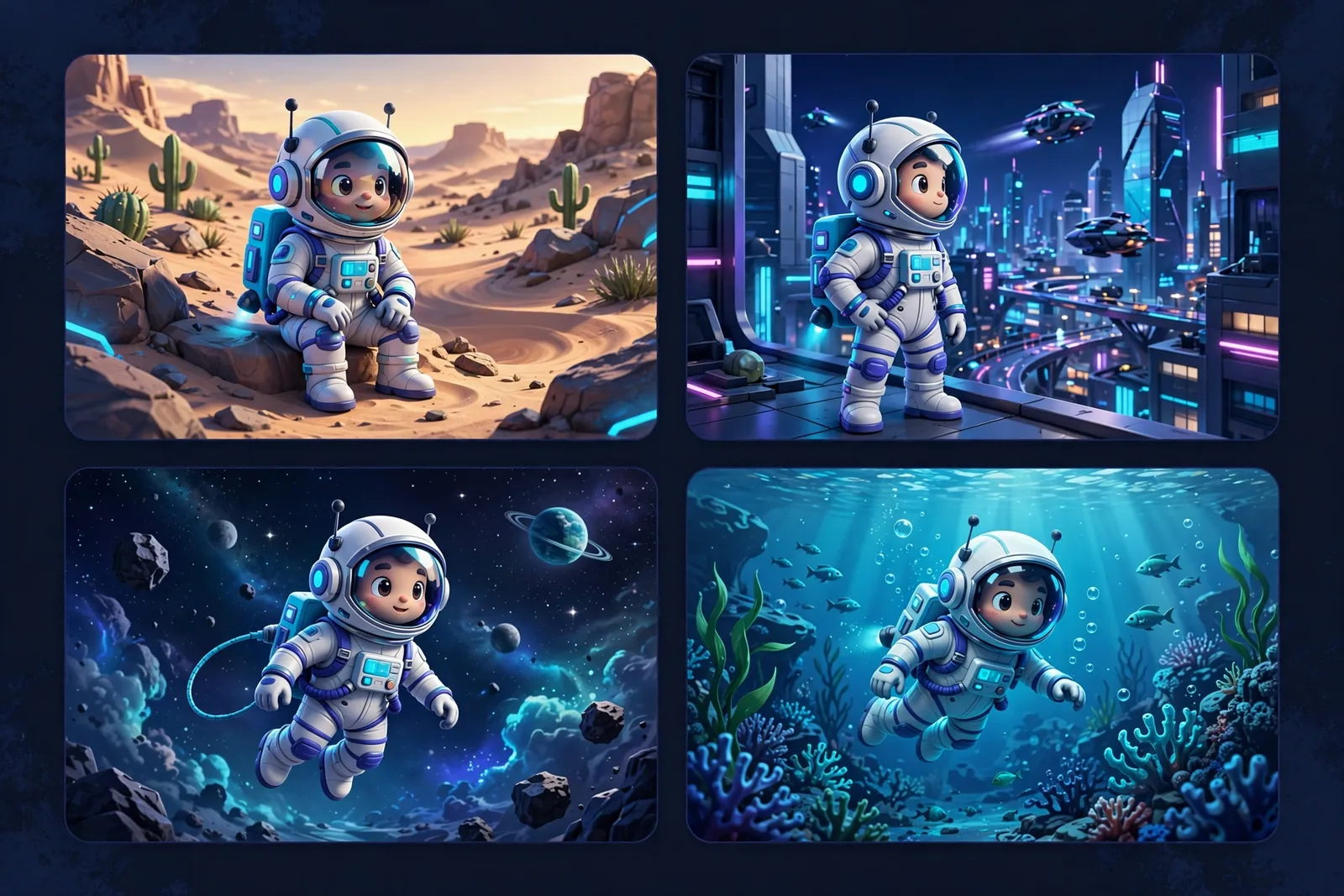
Which Method Should You Use?
| Your Project | Best Method |
|---|---|
| Comic / children’s book | Character reference tool + locked prompt |
| Brand mascot | Fine-tuned LoRA or Ideogram Character |
| AI influencer / virtual persona | NightCafe-style saved character + reference |
| Quick story illustrations | Locked prompt formula + seed control |
| Video series | Kling Elements or video tools with character reference |
For most creators, Method 1 + Method 2 combined (a character reference tool plus a locked description block) delivers professional-level consistency with minimal effort.
Our Testing Notes: What Actually Held Up
We put these methods through a real project: a 12-image story sequence with the same character in different scenes, times of day, and camera angles. Take the numbers below as observations from informal runs, not lab measurements — but the pattern was consistent.
Character reference alone kept the face recognizable in roughly 10 of the 12 images. The two failures were both extreme wide shots where the face was tiny. The lesson: reference tools are excellent, but they can’t preserve detail the image doesn’t have room for.
Locked prompt alone (no reference image) held up for about 8 of 12. The drift was gradual: image 1 and image 12 looked like cousins, not twins. Fine for loosely connected illustrations, not enough for a comic where readers study faces.
Reference plus locked prompt together nailed 11 of 12, with the single miss fixed by regenerating with a closer crop. That’s the combination we recommend, and the one we’d trust for client work.
One surprise: the quality of the master portrait mattered more than anything else. A clean, well-lit anchor image improved every downstream result. Spend 20 minutes getting that first portrait right and you’ll save hours later.
FAQ
Can AI really keep the same character across images?
Yes. With reference-based tools (Midjourney’s --cref, Leonardo’s Character Reference, NightCafe’s saved characters), consistency is now reliable. Pure prompt-only methods get you about 70–80% of the way there.
Which AI image generator is best for consistent characters?
Midjourney’s Character Reference and Leonardo AI’s Character Reference are the most mature options. NightCafe’s @name system is the simplest for beginners. Ideogram Character is excellent for mascots and illustrated styles.
Do I need to pay for character consistency features?
Most character reference features are available on free or entry-level tiers, though heavy use (dozens of generations) usually requires credits or a subscription.
Why does my character’s face change in every image?
Usually one of three causes: your description is too vague, you’re not using a reference image, or the seed/prompt changes too much between generations. Fix it with a locked description block plus a reference image.
Can I make a consistent character from a real photo?
Yes. Upload a photo as the reference image. One ethical note: only use photos you own or have rights to, and never create consistent characters of real people without their consent.
How many reference images do I need?
One strong front-facing portrait is the minimum. Three to four (front, side, 3/4, expression) give noticeably better results.
Keep reading:
– Leonardo AI Review 2026: Features, Pricing & Honest Verdict
– Leonardo AI vs Midjourney: Which Is Better for Beginners?
– Canva Magic Studio vs Adobe Firefly: Honest Comparison