

Quick answer: Yes, for most developers. GitHub Copilot costs $10/month for unlimited code completions, your choice of AI models (including Claude and GPT), and the deepest GitHub integration of any coding assistant. It’s not the smartest agent — Cursor and Claude Code beat it on multi-file work — but at half their price with a genuinely usable free tier, it’s the easiest AI coding tool to justify.
Disclosure: this article may contain affiliate links. We only recommend tools we’d use ourselves.
GitHub Copilot was the first AI coding assistant most developers ever tried, and in 2026 it’s still the most widely used one. But the field got crowded — Cursor, Claude Code, and Windsurf all want the same $10–20 a month. So the question isn’t whether Copilot works. It’s whether it’s still the right one to pay for.
This review covers what Copilot actually does in 2026, what every plan costs, where the free tier ends, and the honest limitations the marketing page skips.
What does GitHub Copilot actually do?
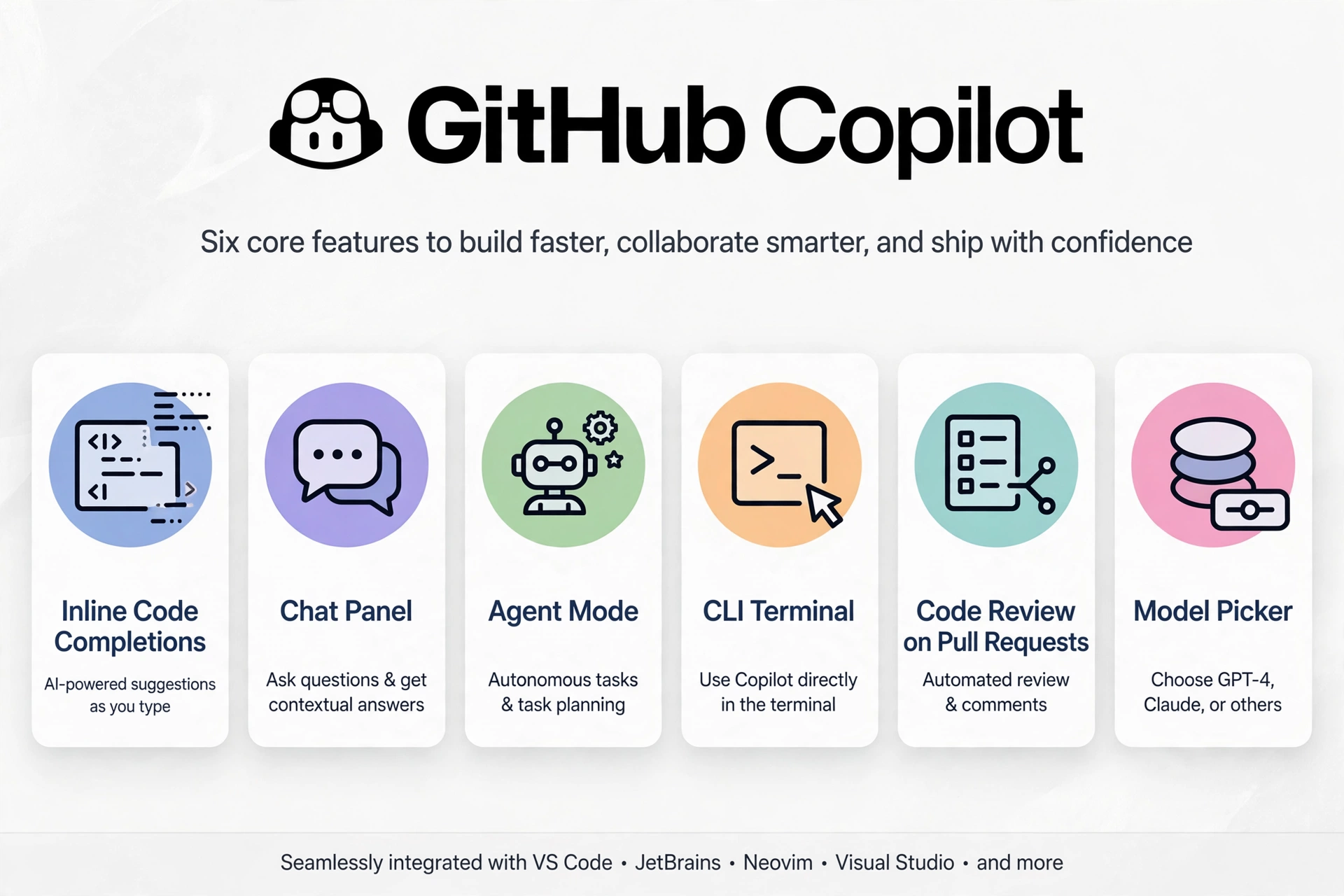
GitHub Copilot is an AI pair programmer that lives inside your editor. As you type, it suggests whole lines or blocks of code — ghost text you accept with Tab. Beyond that, it has a chat panel for asking questions about your code, an agent mode that can plan and edit across multiple files, a terminal CLI, and code review that runs directly on your pull requests.
In 2026, Copilot is less “autocomplete on steroids” and more “AI layer across your whole workflow.” One subscription covers VS Code, Visual Studio, JetBrains IDEs, Neovim, Eclipse, Xcode, the CLI, GitHub Mobile, and github.com itself. No other coding assistant follows you into that many places.
The standout feature most reviews underrate is Next Edit Suggestions: Copilot predicts not just what you’re typing now, but what you’ll need to change next — and it’s right often enough to feel like it reads your mind on routine refactors.
How much does GitHub Copilot cost in 2026?
Copilot’s pricing changed in 2026. Since June, usage is billed through GitHub AI Credits (1 credit = $0.01). Here’s the important part most people miss: code completions and Next Edit Suggestions never consume credits — they’re unlimited on every paid plan. Only chat, agent mode, CLI usage, code review, and Spaces draw from your credit pool.
| Plan | Price | What you get |
|---|---|---|
| Free | $0 | 2,000 completions + 50 chat/agent requests per month, auto model selection |
| Pro | $10/month ($100/year) | Unlimited completions, model choice, 1,500 AI credits/month |
| Pro+ | $39/month | Unlimited completions, all models, 7,000 AI credits/month |
| Max | $100/month | Unlimited completions, 20,000 AI credits/month — for heavy agent workflows |
| Business | $19/user/month | Everything in Pro + org controls, SSO, audit logs, IP indemnity |
| Enterprise | $39/user/month | Everything in Business + codebase indexing, custom models, GitHub.com chat |
Prices verified: October 2026.
When you burn through your monthly credits, you can wait for the reset, set a dollar budget for extra usage, or switch to a cheaper model that sips credits instead of gulping them. Business and Enterprise admins can cap usage so nobody accidentally runs up a bill.
Is there a free version of GitHub Copilot?
Yes — and it’s better than most free tiers. Copilot Free gives you 2,000 code completions and 50 chat/agent requests every month, forever, no credit card required. The catch: models are auto-selected for you, so you can’t pick Claude or GPT specifically.
That’s genuinely enough to evaluate it properly for a few weeks. If you’re a student, it’s even better: verified students get free access through the GitHub Student Developer Pack, and open-source maintainers and educators can also qualify for free Pro.
Which AI models can you use with Copilot?
This is Copilot’s quiet superpower. On any paid plan, you can switch between models from OpenAI, Anthropic (including Claude Sonnet and Opus), Google (Gemini), xAI (Grok), and others. Different tasks suit different models — a fast cheap model for boilerplate, a heavyweight for tricky debugging — and Copilot lets you choose per task instead of marrying one model.
That also means the “which AI is smartest” debate matters less here than with single-model tools. You’re renting the harness; the engines are interchangeable.
Where does Copilot fall short?
Honest review means honest limitations. Here’s where Copilot loses to the competition:
Multi-file reasoning. Copilot still struggles to hold a large codebase in its head. Ask it to refactor across 30 files and it’ll suggest functions that already exist elsewhere or miss patterns you established five files ago. Cursor’s agent and Claude Code are clearly better at this.
Chat depth. For hard reasoning — debugging a subtle concurrency bug, weighing architectural tradeoffs — Copilot’s chat answers feel surface-level next to Claude-powered tools. It’s a great pair programmer and a mediocre consultant.
The credit learning curve. The AI Credits system is fair, but it’s one more thing to understand. Heavy agent-mode users can burn through 1,500 credits faster than expected, and the flex allotment rules have shifted during 2026. Check the current numbers on GitHub’s pricing page before committing to Pro+ or Max.
Privacy tradeoff. GitHub states it may use Free, Pro, and Pro+ interactions — inputs, outputs, code snippets — to train its models unless you opt out in settings. If you work on proprietary code, read that setting before your first session, or look at Business/Enterprise with their stricter data controls.
Should you pick Copilot, Cursor, or Claude Code?
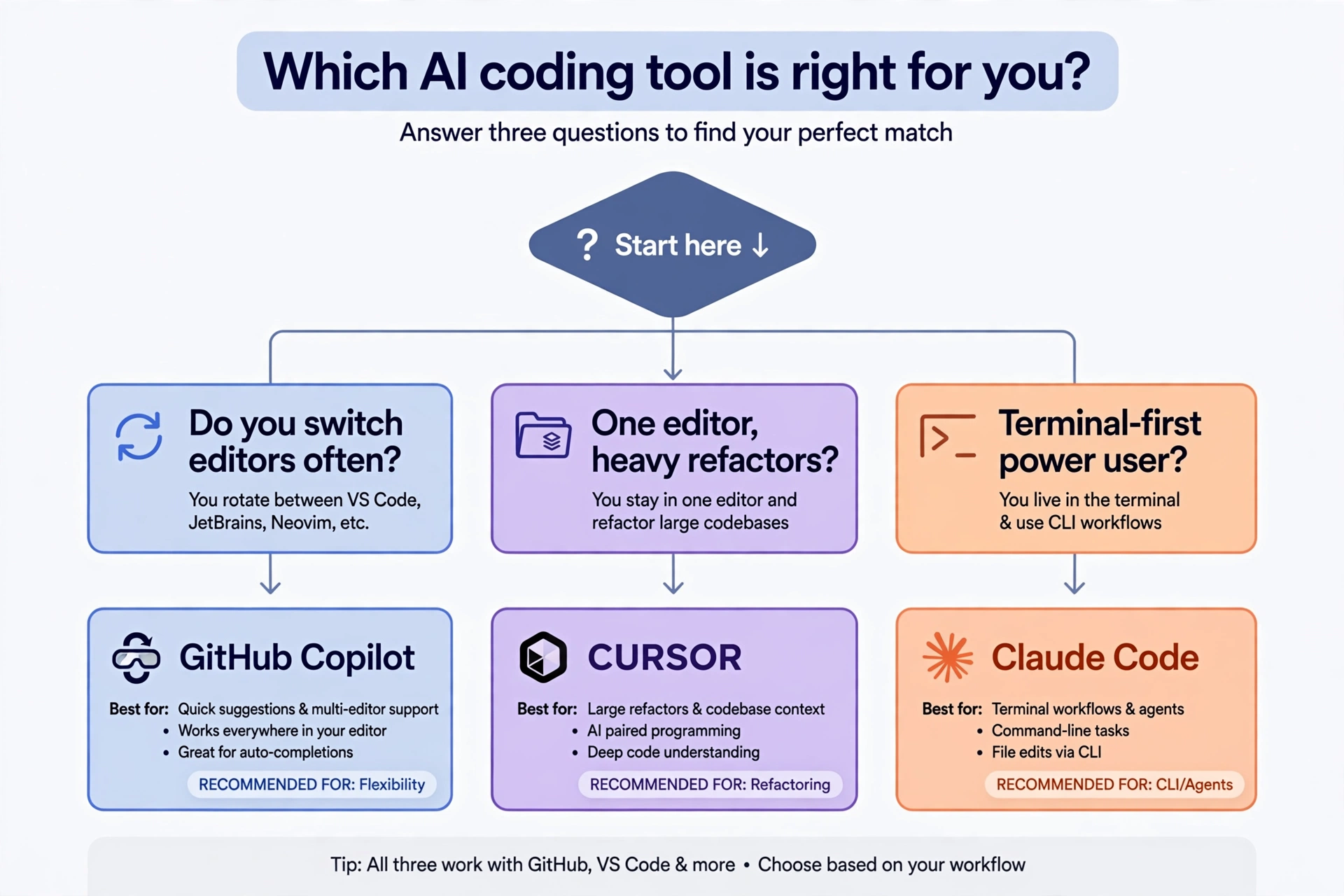
The short version: these tools now route to the same frontier models, so shop the workflow, not the brain.
Pick GitHub Copilot if you work across multiple editors or machines, your team lives on GitHub (PRs, issues, code review), $10/month is your budget, or you want the best free tier to start with.
Pick Cursor if you live inside one editor all day, do heavy multi-file refactors, and $20/month is noise next to your hourly rate. Its Tab completion and visual diffs are the best in the business.
Pick Claude Code if you want the strongest agent for long, complex terminal-based tasks and don’t mind a steeper learning curve.
Our detailed Claude vs ChatGPT for coding breakdown goes deeper on the model side, and the Claude Code beginner’s guide is worth reading if the agentic route appeals to you.
Who should buy it — and who should skip it?
Buy it if: you’re a working developer who wants AI help in whatever editor you’re already using, your team collaborates on GitHub, or you’re a student who can get it free. At $10/month with unlimited completions, the math is easy.
Skip it if: your main work is large multi-file refactors in a single IDE (try Cursor), you need the deepest possible agent reasoning (try Claude Code), or you only write code occasionally — the free tier probably covers you.
Frequently asked questions
Is GitHub Copilot worth it in 2026?
For most developers, yes. At $10/month you get unlimited completions, your choice of frontier models, and GitHub-native features like PR code review that competitors can’t match. It pays for itself if it saves you even an hour a month.
Is GitHub Copilot good for beginners?
It’s one of the best tools for beginners — the free tier is generous, setup in VS Code takes minutes, and it explains code as well as writing it. Just don’t let it write code you don’t understand; use the chat panel to ask why it suggested something.
Can students get GitHub Copilot for free?
Yes. Verified students get free access through the GitHub Student Developer Pack. Educators and maintainers of popular open-source projects can also qualify for free Pro.
Does GitHub Copilot work with JetBrains and Neovim?
Yes. Copilot has extensions for VS Code, Visual Studio, JetBrains IDEs, Neovim, Vim, Eclipse, Xcode, and Zed, plus a CLI and GitHub Mobile app. Chat features are available in VS Code, JetBrains, and Visual Studio.
Is my code used to train AI models?
GitHub states it may use interactions from Free, Pro, and Pro+ users to improve its models unless you opt out in your account settings. Business and Enterprise plans have stricter data controls. Check the opt-out setting before you start if this matters to you.
The verdict
GitHub Copilot in 2026 is the safe, sensible, slightly boring choice — and that’s a compliment. It doesn’t have the flashiest agent or the smartest chat, but it works everywhere you work, costs half what Cursor charges, and the free tier means you can prove its value before spending a cent. For most developers, most of the time, it’s the right answer.