

Quick answer: Descript lets you edit video by deleting words from a transcript, and for podcasts, interviews, and talking-head videos it’s the single biggest workflow upgrade available — we rated it 4.6/5. Start with the free tier’s ~60 media minutes on a real project; if the workflow clicks, Hobbyist (~$16/month annual) is the sweet spot for solo creators. Skip it for music videos, effects-heavy edits, or mobile editing — it’s desktop-only and won’t replace Premiere for finishing.
How does Descript’s text-based editing work?
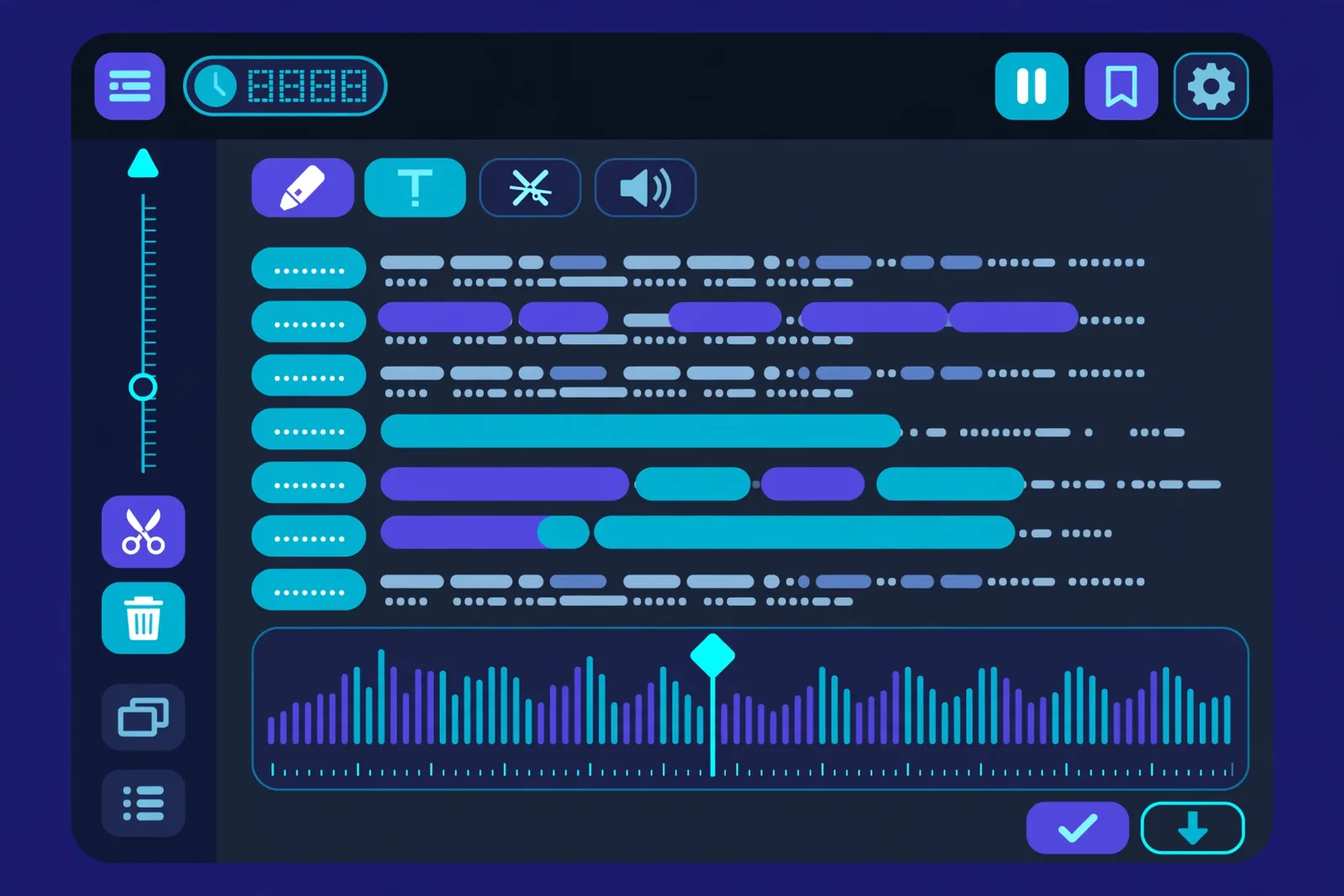
Descript’s core idea is simple enough to feel obvious in retrospect: transcribe your video, then let you edit the footage by editing the text. Delete a sentence from the transcript, and the matching video disappears. Rearrange paragraphs, and the clips rearrange with them. For anyone who’s spent hours scrubbing a timeline to cut “ums” and awkward pauses, this lands differently once you’ve tried it.
We’ve been testing Descript across podcast episodes, talking-head YouTube videos, and tutorial content. Here’s the honest verdict on what it does brilliantly, where it struggles, and whether it’s worth your money in 2026.
Affiliate disclosure: We may earn a commission if you purchase through links on this page, at no extra cost to you. It doesn’t influence our testing or conclusions.
Descript’s pricing at a glance:
| Plan | Price | Media time | AI credits | Best for |
|---|---|---|---|---|
| Free | $0 | ~60 min/month | 100 one-time | Testing the workflow on a real project |
| Hobbyist | $16/mo annual ($24 monthly) | 10 hrs/month | 400/month | Solo creators starting out |
| Creator | $24/mo annual ($35 monthly) | 30 hrs/month | 800/month | Serious production work |
| Business | $50/mo annual ($65 monthly) | 40 hrs/month | 1,500/month | Teams |
Prices verified: October 2026.
How does Descript actually work?
You import or record audio/video. Descript transcribes it automatically, and the accuracy is genuinely strong across 20+ languages. Then you edit the transcript like a document, with every word linked to its exact moment in the media.
What that looks like in practice:
- Cutting filler words: Select “remove filler words” and Descript strips every “um,” “uh,” and “you know” in one click. On a 30-minute recording, this alone can save the better part of an hour.
- Deleting mistakes: Flubbed a sentence? Delete it from the text and the video cut is frame-accurate.
- Rearranging: Drag a paragraph to a new position and the corresponding clips move with it. Doing that on a traditional timeline without losing your place is a much worse afternoon.
Skeptics tend to file this under “gimmick” until they run it on a real project. Then the appeal clicks.
What are Descript’s AI features (Underlord, Overdub, and Studio Sound)?
Underlord is Descript’s AI agent for tedious post-production: structuring edits, stripping silences, removing filler words, leveling audio. Overdub clones your voice so you can fix mistakes by typing — best for surgical fixes, not rewrites. Studio Sound removes background noise, echo, and room tone while enhancing vocal clarity. Creator-tier extras include eye contact correction and AI green screen.
Underlord: The Cleanup Agent
Underlord is Descript’s AI agent for the tedious post-production tasks. Tell it to structure your edits, strip silences, remove filler words, or level your audio, and it handles it on command. On a 30-minute talking-head recording, Underlord can compress an hour of scrubbing into a few minutes of review. Editing starts feeling less like chores and more like directing.
Overdub: Fix Mistakes by Typing
Overdub creates an AI clone of your voice. Misspoke a word? Type the correction, and Overdub generates the fixed audio in your voice. No re-recording, no awkward punch-ins.
Does it sound perfect? Not quite. On short corrections, a word here or there, it’s remarkably convincing. On longer regenerated passages, you can sometimes hear a slight artificiality, depending on your voice characteristics. Our advice: use it for surgical fixes, not wholesale rewrites. Train it with clean sample audio and the results are dramatically better.
Studio Sound: Audio Rescue
The “make it sound good” button uses AI to remove background noise, echo, and room tone while enhancing vocal clarity. We’ve seen it transform borderline-unusable recordings (think noisy apartment, cheap mic) into professional-sounding audio. It isn’t magic; it can’t save truly terrible audio. But for the common case of “decent recording in a bad room,” it’s remarkable.
Eye Contact and Green Screen
Creator-tier features include eye contact correction (it looks like you’re facing the camera while reading a script) and AI green screen effects. The eye contact feature is quietly useful for teleprompter readers. Neither is a reason to buy Descript alone, but they’re decent bonuses.
How much does Descript cost in 2026?
Descript’s pricing as of 2026 (per current trackers; check the official site for current numbers):
- Free ($0): About 60 media minutes per month, 100 one-time AI credits, watermarked 720p exports. Enough to test the workflow properly on a real project.
- Hobbyist ($16/month annual, $24 monthly): 10 media hours per month, 400 monthly AI credits, 1080p watermark-free export. The sweet spot for solo creators starting out.
- Creator ($24/month annual, $35 monthly): 30 media hours, 800 monthly AI credits, 4K export, full Overdub voice cloning, Underlord AI, screen recording. Where Descript becomes a serious production tool.
- Business ($50/month annual, $65 monthly): 40 media hours, 1,500 monthly AI credits, team features, multi-language translation and dubbing, priority support.
Two meters worth understanding: media minutes are consumed by uploads and recordings, and AI credits go to generative features like Underlord, Studio Sound, filler-word removal, and Eye Contact. Both reset each cycle; unused allowances don’t roll over.
The free tier’s 60 minutes runs out fast once you’re serious, which is by design. But it’s enough to edit a real episode and decide if the workflow clicks for you.
One thing to know: Descript is desktop-only (Windows and Mac). No mobile app. If you edit on a tablet or phone, look elsewhere.
Where does Descript dominate?
Transcript editing is genuinely faster for speech. This isn’t marketing. For talking-head video, podcasts, interviews, and tutorials, editing text is dramatically faster than timeline scrubbing. On typical projects in our testing, rough cuts that used to eat an afternoon were done well before lunch.
Transcription accuracy is the best we’ve tested. The entire text-as-timeline concept falls apart if transcription is shaky. Descript’s isn’t. It handles accents, overlapping speech, and technical vocabulary better than any competitor we’ve tried.
The all-in-one workflow. Record (including remote multi-guest via Rooms), transcribe, edit, add captions, publish to podcast hosts. Descript replaces three or four tools for podcasters.
Auto-captions are publish-ready. The captions Descript generates are accurate enough to publish directly, with styling options that look professional. For creators who caption everything, this alone justifies the subscription.
Multicam made simple. The multicam feature syncs multiple camera angles automatically, and you switch angles by clicking in the transcript. For interview shows, this is a massive time saver.
Where does Descript fall short?
It’s built for speech, not cinema. Edit a fast-cut montage, a music video, or anything with heavy motion graphics, and you’ll feel the ceiling quickly. Descript is a speech editor that handles video, not a video editor that handles speech. Know which one you need.
Effects and color grading are bare-bones. If your style depends on complex transitions, color work, or layered effects, you’ll need a traditional editor alongside Descript. Many creators use Descript for the rough cut and finish in Premiere or DaVinci.
Performance on long projects. The app can get sluggish past 30-minute projects, especially on older machines. It’s improving, but it’s a known limitation.
Subscription cost adds up. At $24/month annual for the Creator plan most serious users need, Descript isn’t cheap. Compare it to the cost of your time, though: if it saves you five hours a month, it pays for itself many times over.
No mobile app. Desktop only. In 2026, that’s a genuine gap for creators who work on the go.
How does Descript compare to Premiere, CapCut, and Runway?
Descript vs traditional editors (Premiere, DaVinci): Traditional editors win on effects, color, and complex timelines. Descript wins on speed for speech-heavy content. Many professionals use both: Descript for the rough cut, traditional tools for finishing.
Descript vs CapCut: CapCut is free and better for short-form, effects-heavy content. Descript is better for long-form speech editing. Different tools for different jobs.
Descript vs Runway: These barely compete. Runway generates video from prompts; Descript edits recorded footage. If your footage doesn’t exist yet, you want Runway. If you’re editing real recordings, you want Descript.
Who Should Buy Descript?
Buy it if you:
– Podcast, interview, or make talking-head YouTube videos
– Create tutorials or online courses with lots of narration
– Spend hours cutting filler words and mistakes from recordings
– Want captions, clips, and publishing in one workflow
– Record remote guests (Rooms is excellent)
Skip it if you:
– Edit music videos, montages, or effects-heavy content
– Need advanced color grading or motion graphics
– Work primarily on mobile
– Rarely edit speech (Descript’s magic is wasted on non-verbal content)
Final Verdict
Descript is one of those rare tools that delivers on its core promise. Editing video by editing text isn’t a gimmick; for speech-heavy content, it’s simply faster than every alternative. The AI features (Underlord cleanup, Overdub voice fixes, Studio Sound rescue) compound the advantage.
It’s not a complete video editor, and it doesn’t pretend to be. But for podcasters, YouTubers, course creators, and anyone who edits a lot of talking, Descript is the single biggest workflow upgrade available.
Our rating: 4.6/5. Best-in-class at what it does. Start with the free 60 minutes and edit a real project. You’ll know within an hour whether it’s for you.

Frequently Asked Questions
Is Descript worth it in 2026?
For podcasters, interviewers, and talking-head creators, absolutely. The time savings on speech editing are real and substantial. For effects-heavy or cinematic work, it’s the wrong tool. Match the tool to your content type.
How much does Descript cost?
Free tier (60 media minutes/month), Hobbyist $16/month annual ($24 monthly), Creator $24/month annual ($35 monthly), Business $50/month annual ($65 monthly). Annual billing saves significantly. Check the official site for current pricing.
Does Descript work on mobile?
No. Descript is desktop-only for Windows and Mac. There’s no mobile app for iOS or Android, which is a limitation for creators who edit on the go.
What is Descript Overdub?
Overdub is Descript’s AI voice cloning feature. You train it on your voice, then type corrections to fix mistakes without re-recording. It works well for short fixes; longer regenerated passages can sound slightly artificial.
Can Descript replace Premiere Pro?
For speech-heavy rough cuts, many creators find Descript replaces 80% of their Premiere work. For finishing, effects, color grading, and complex timelines, Premiere (or DaVinci) is still necessary. Most professionals use both.
Is there a free version of Descript?
Yes. The free plan includes about 60 media minutes per month plus 100 one-time AI credits, with watermarked exports. It’s enough to test the full workflow on a real project before committing.
Conclusion
We came to Descript skeptical that text-based editing could handle real production work. We left converts, at least for speech content. The first time you delete a paragraph and watch the video re-cut itself, you understand why podcasters rave about this tool.
Try the free tier on your next episode or video. Time yourself against your old workflow. The numbers will make the decision for you.
Next steps: If you’re building a content workflow, pair Descript with our faceless YouTube channel guide or our AI voiceover guide. For meeting content that needs editing, see our Otter vs Fireflies comparison.